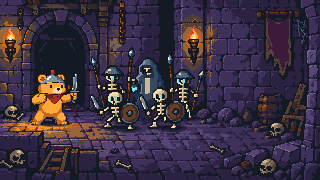
[Demo Update] Dreamguide Maze's New Pacts and a Deeper Adventure

Hi, I'm Sookuma!
The star of this update is Dreamguide Maze.
When I played it myself, it was just no fun.
So I remade it.
I remade the effects in a big way too.
Besides that, I brought along all the changes that built up since the last Demo update, 'Piety of the Five Gods and a Refreshed Dungeon Adventure'.
This time the save format did not change, so you can keep going with your ongoing adventure.
Dreamguide Maze and Piety: New Pacts and Dream Shortcut
- I rebuilt Dreamguide Maze. The five new cards are Perilous Dream, Sure Leap Pact, Warped Distance Pact, Guided Hand Pact, and Star Chart Pact. Perilous Dream replaces Dream Anew as a card that teaches a new power. Sure Leap Pact lets you directly pick where Dreampath Leap lands in a nearby visible spot. You can only make one Pact between this and Safe Leap Pact. Warped Distance Pact raises my accuracy and lowers the enemy's accuracy when fighting foes far away. Guided Hand Pact increases the range and power of powers, spells, throwing, and bows. Star Chart Pact reveals the map of every floor and identifies items you obtain. The five removed cards are Dream Anew, Star Map Pact, Deadly Dream Pact, Intense Guidance Pact, and Visible Adversity Pact. The effect from Intense Guidance Pact is now on Deadly Guidance Pact. Trap detection from Visible Adversity Pact is now on Presence Pact. Old Pacts you already made in an ongoing adventure still work just like before.
- Dream Shortcut, the Saint power of Dreamguide Maze, has changed. Before, Dream Shortcut was a power to escape by leaping next to the downward stairs. Now when you use it, the ground within 4 tiles around Sookuma becomes flat ground for 20 turns. That area moves along with Sookuma. All non-flat ground like water, mud, and lava, and even pit traps become flat ground. The flattened ground stays even after the shortcut closes. While it is open, it pulls traps on this floor nearby. Traps trigger every turn. If an enemy is standing where a trap is pulled, it goes off right away. The idea is to flatten the collapsed ground and walk out to escape.
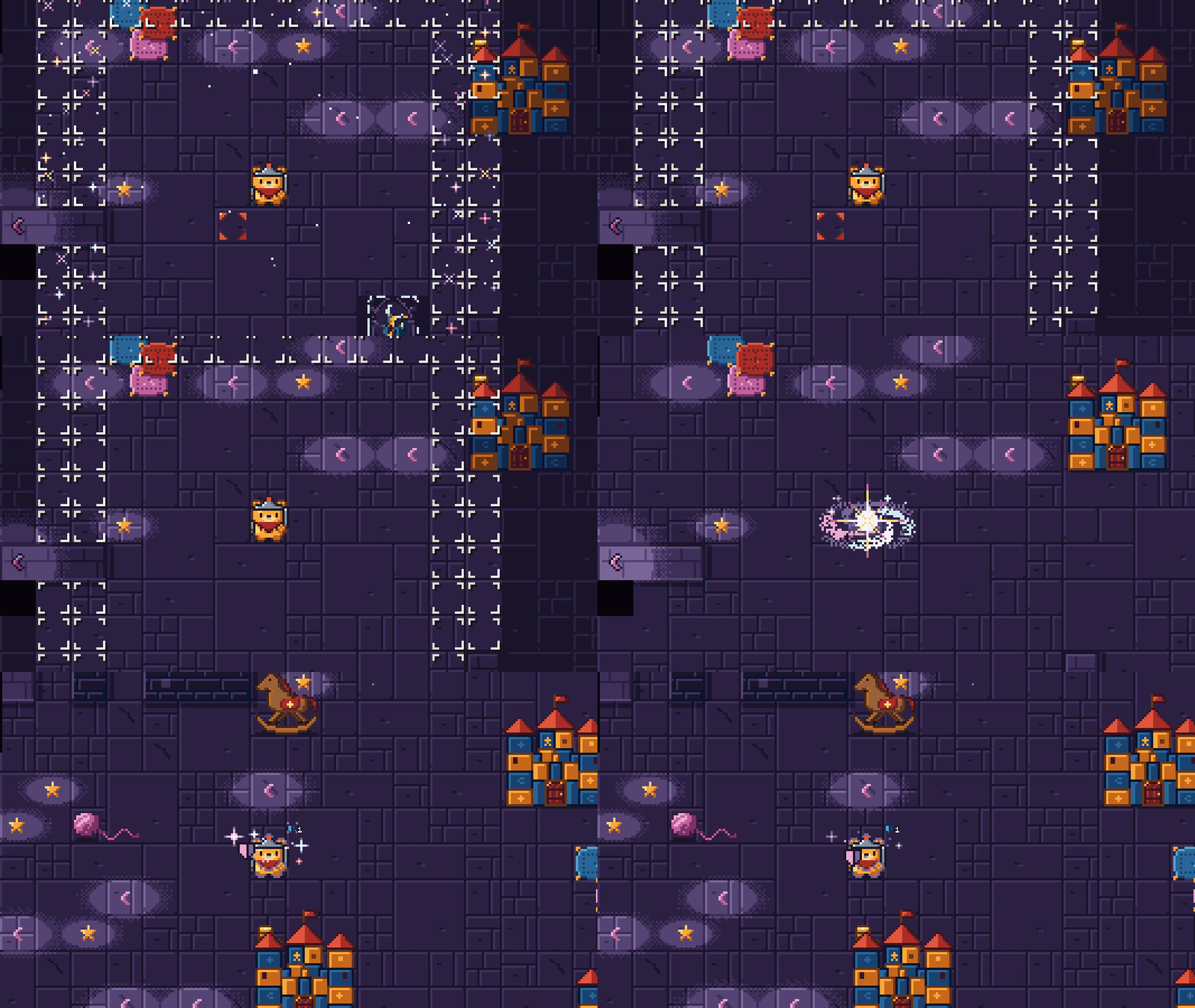
- Dream Shortcut opens flashily like an ultimate.
When you use Dream Shortcut, stardust swirls and gathers under Sookuma's feet.
A big star bursts and the screen shakes briefly.
As the wave ripples outward from Sookuma, floor rises from below to fill in water, mud, and holes.
When dream pebbles pop up and settle down, it turns into flat ground.
When the wave spreads all the way out, a ring of light rises along the edge of the flattened ground.
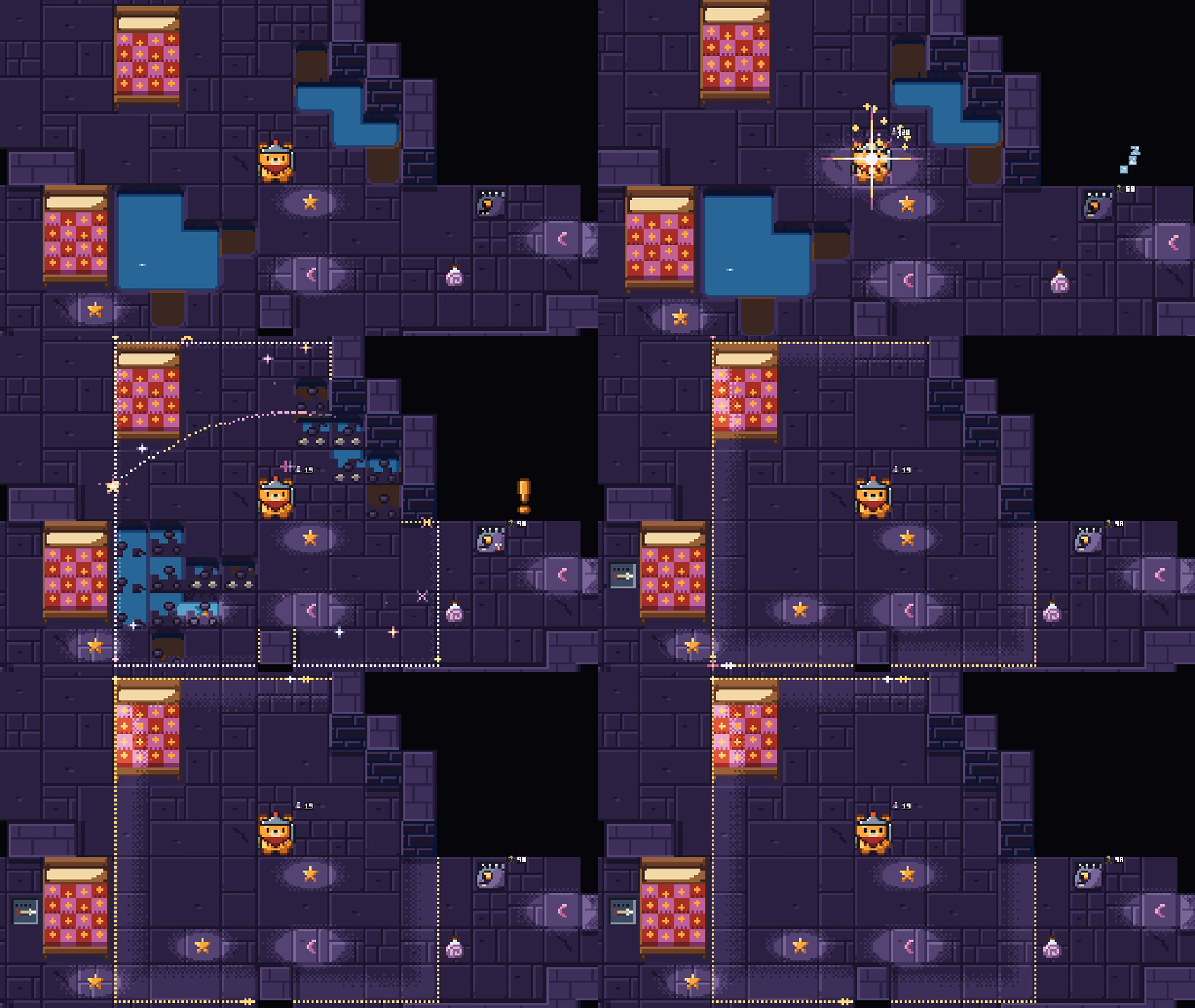 Even when you use it with V and number keys, cards do not cover that moment.
While it is open, every time Sookuma walks, ground newly entering the area fills up into flat ground the same way.
When the ground fills up, you hear a heavy rumble of stone and earth rising.

- I added a status display and effects for while Dream Shortcut is open. While it is open, Dream Shortcut shows up separately in the status panel with its icon and remaining turns. Hovering over it shows an explanation in a tooltip. While it is open, the area border and a faint light follow Sookuma. When the shortcut closes, a dreamlight wave spreads under Sookuma's feet.
- Effects of new Pacts and new powers show on screen.
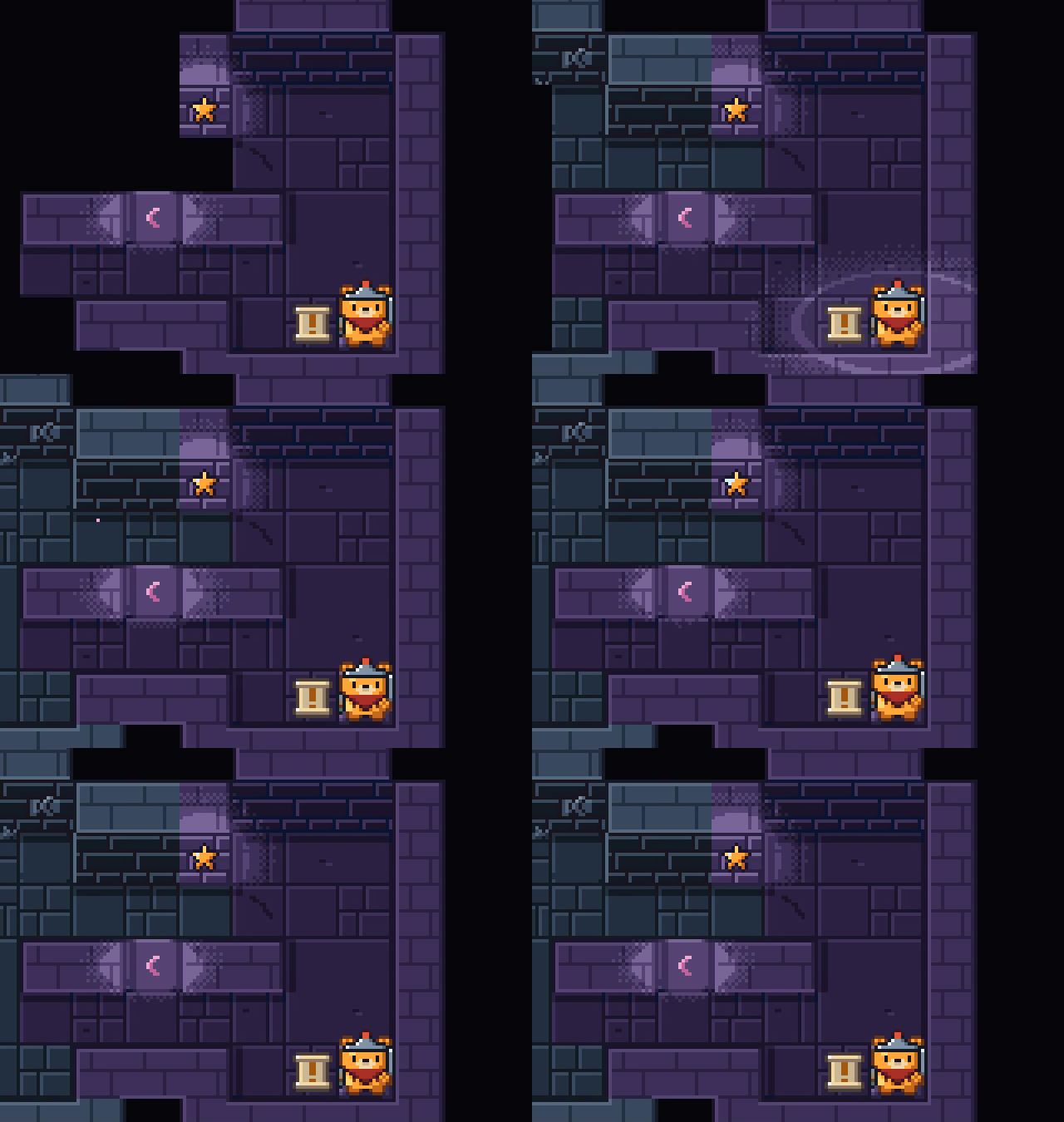
When you make Star Chart Pact, a starlight wave spreads from under Sookuma's feet and reveals the floor.
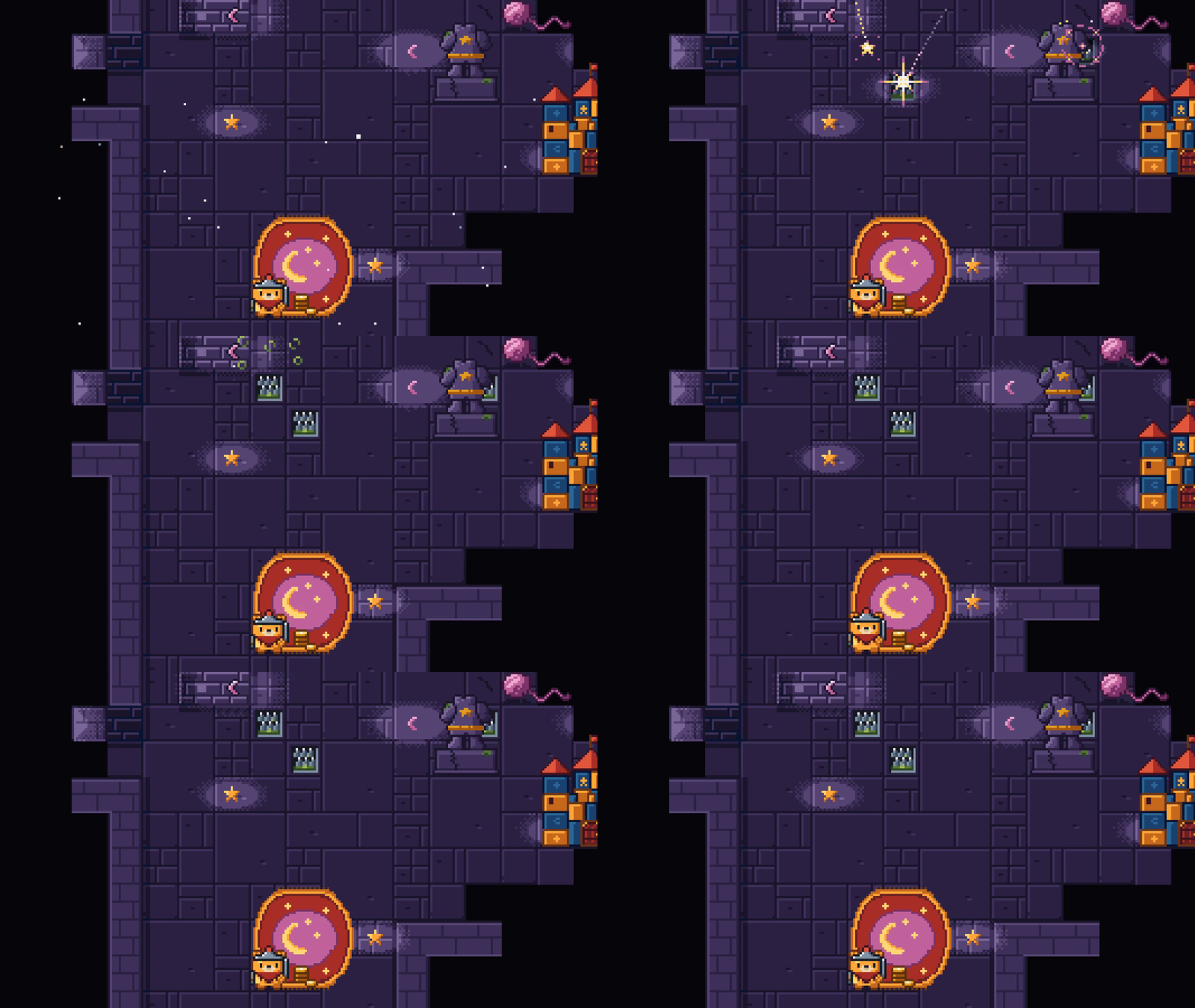
 Traps pulled in by Perilous Dream and Dream Shortcut fly in as shooting stars.
 Whenever Warped Distance Pact changes accuracy, a mark showing folded space appears halfway between the shooter and the target.
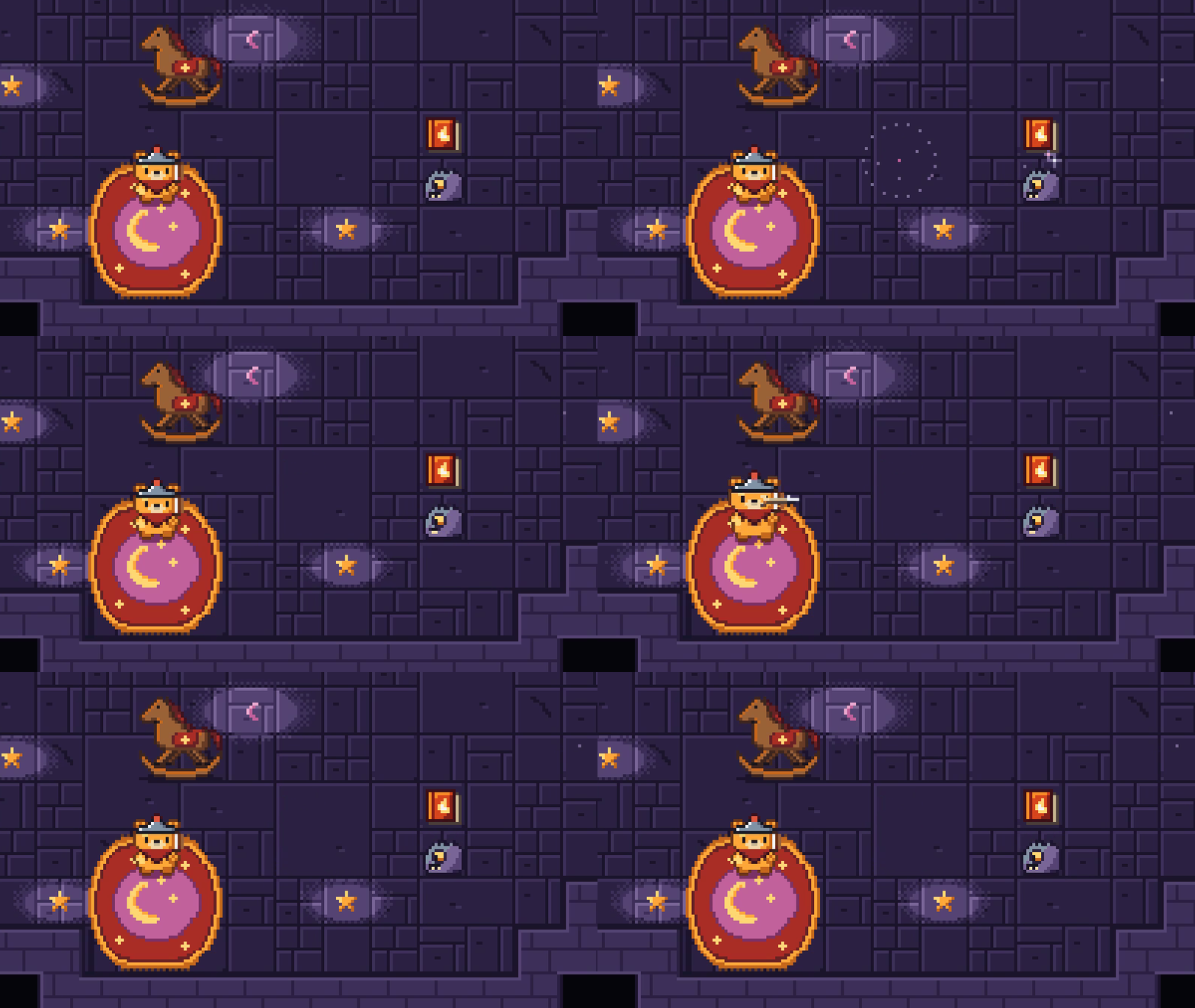 If you have Guided Hand Pact, the increased range spreads across the floor when picking where Dreampath Leap lands.
- When arriving on a floor, the Trial card given by a god floats and waits in the center of the screen. The card wavers like it is breathing in the center of the screen as it waits. If you press Enter or Space or click anywhere on the screen, it flies into the Trial row of the Piety panel in the top left, just like when you first serve a god. You can skip right away without waiting by pressing ESC. Before, the card slid under the Piety panel in the top left all on its own.
- I polished the underline under a god's words when receiving a gift. When a god gives a gift, the underline beneath the god's small words in the center of the screen got thinner. The underline is now drawn to match the exact length of the text.
- All cards in the power window now show the god's art. The first power card now shows that god's art too. Before, the first power card showed a picture of a small power button.
- Defeating an enemy with a Flaming brand weapon now counts as defeating them with fire. When serving Ember, defeating an enemy with a Flaming brand weapon counts as defeating them with fire. Even if they fall to just the weapon's physical damage before the brand's fire catches, it counts the same way.
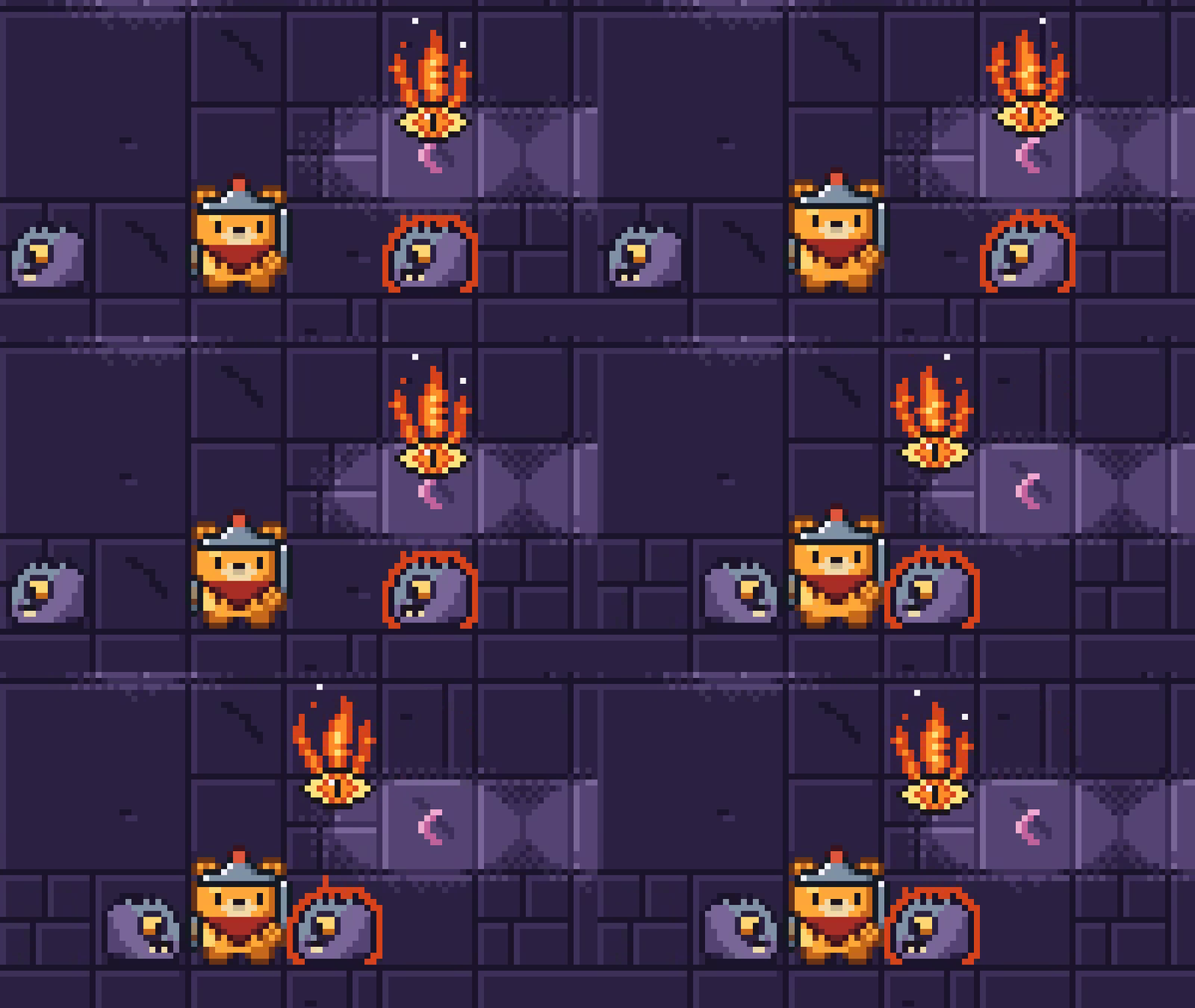
- Flames now swirl around enemies that Ember can execute.
Enemies you can execute get a reddish-orange outline with flames flickering over them.
The Eye of Ember above them burns brightly with fire and sparks too.
The rules and conditions for executing stay just as they are.
- Altars to the gods are now scattered widely across the floor. Outside the Pantheon, altars never stand together in the same room. They spread out across the floor, far enough apart that you can't see one altar from beside another. Altars in the Pantheon stay gathered in one spot, just like now. The number of altars per floor and which gods appear stay the same.
- I merged the damage reduction on Gambler All-In cards into barrier. 'Damage reduction' was removed from the random buffs. A barrier that does something similar was already in the random buffs, so I merged 'Damage reduction' into it.
Items and Gear: Signature Stats for Rings and a Tidier Bag
- The potion of resistance was changed to raise elemental resistance. Before, the potion of resistance reduced all incoming damage. Now, all elemental resistances go up by one tier for a while. Physical damage is taken as normal.
- Companion Noeul's Maple Ward became a barrier. Using the ward creates a barrier, cutting incoming damage in half for a while. The idea is to bring similar protective effects together under one rule so they do not work differently.
- I renamed Scroll of Cotton Bulwark and dream net. Scroll of Cotton Bulwark became Scroll of Cotton Net, and dream net became cotton net. The name Scroll of Cotton Bulwark was easy to mix up with barrier. Effects and stats for Scroll of Cotton Net stay just as they are.
- A thrown cotton net holds enemies with Rooted instead of Freeze.
One hit enemy cannot walk for 5 turns.
It does not lose its turn, so it still hits anyone right next to it.
It does not take extra damage like with Freeze.
Since it is a net, the idea is to bind their feet like Scroll of Cotton Net instead of freezing them.
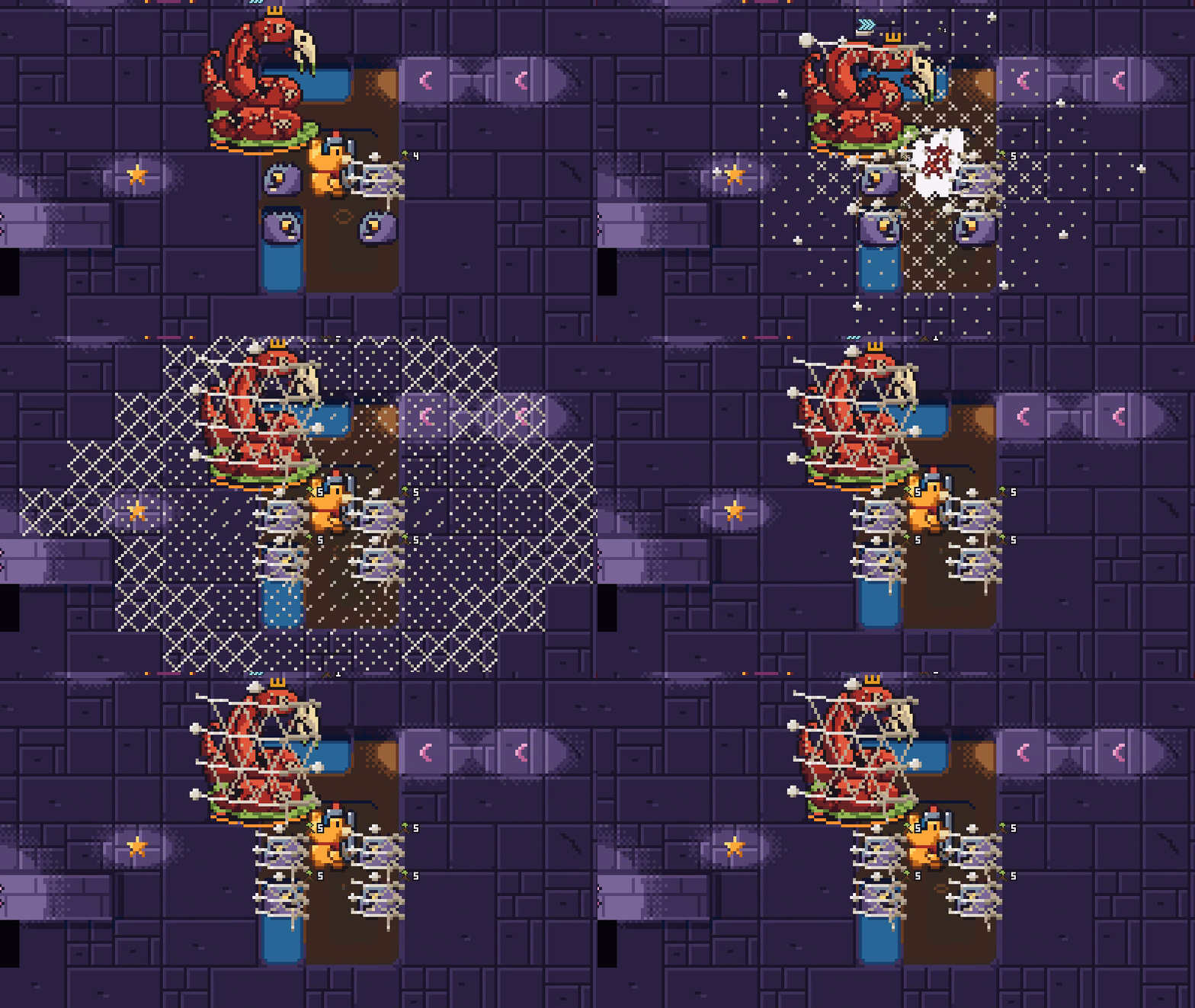
It flies out as a wad, opens wide, and wraps tightly around the hit enemy's body.
If it misses, it falls to the floor past that enemy.
The bound enemy's body does not turn white as if frozen.
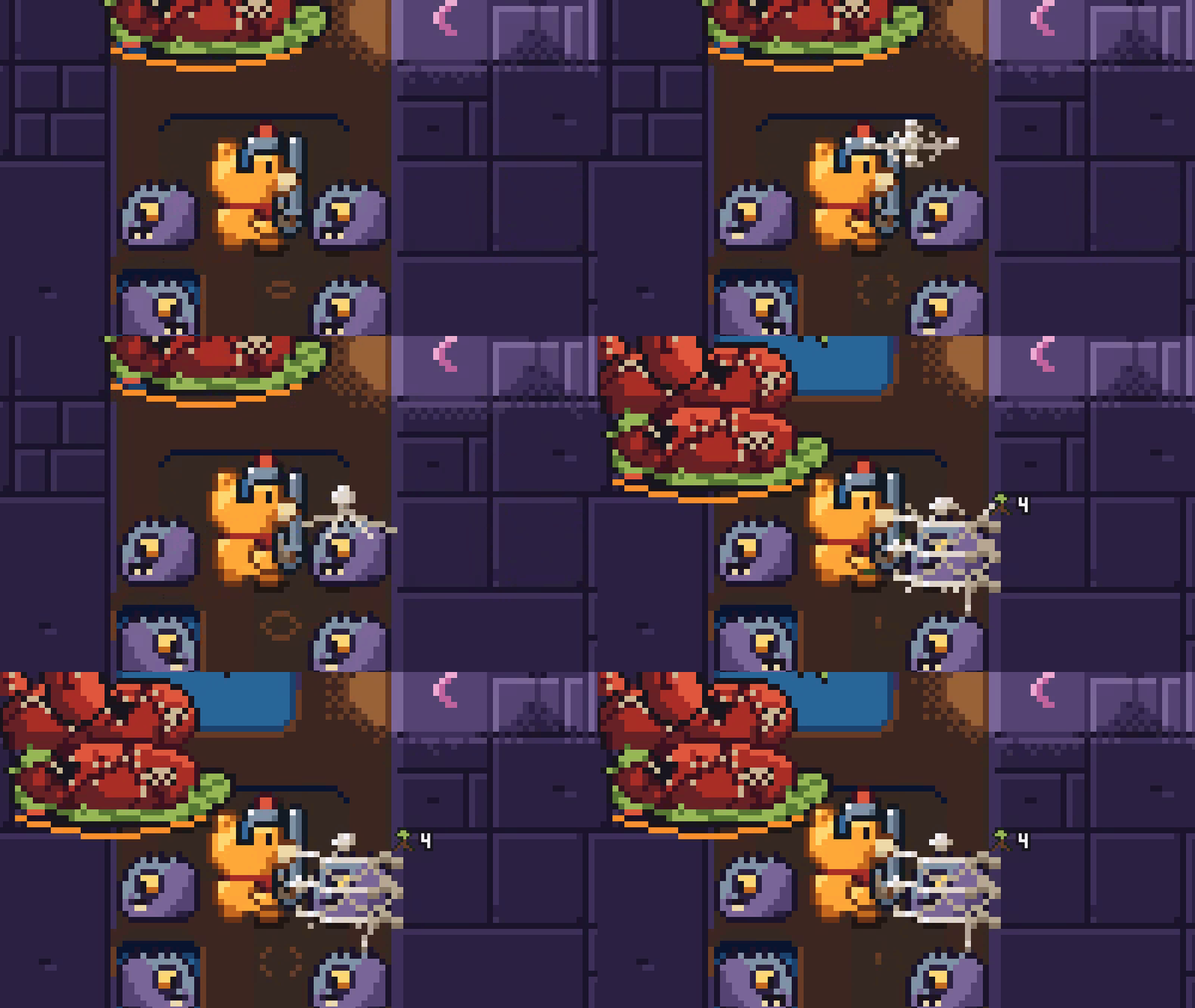
- I drew a new look for tearing Scroll of Cotton Net.
When you tear it, cotton net spreads in all directions from Sookuma and covers the floor.
For every enemy bound by the scroll, cotton net wraps tightly around their body from above.
When Rooted ends, the wrapped cotton net slides down.
On a big body like a Boss, it wraps large to match their body size.
- Enchanting a ring now raises only that ring's signature stat. Before, enchanting any ring raised Armour, but now only each ring's single signature stat goes up. The Windstep Ring raises evasion, and the ring of the weak point raises crit. Rings you already enchanted now raise that ring's signature stat instead.
- The ring comparison window checks empty slots first. If one ring slot is empty, it compares against equipping into that empty slot. Only when both ring slots are full does it compare against the rings on each hand one by one. All values modified by that gear, like crit or movement, are displayed.
- Press TAB anywhere in the bag window to hop between slots. No matter which row you are on, pressing TAB moves between gear slots and bag slots. A large frame outlines the selected side and slides smoothly along with TAB.
- Items and gold coins dropped into deep water now sink. Falling into deep water makes them sink and disappear with a splash, a sound, and a line in the log. Essential progression items like Dream Crystals get pushed out onto nearby dry land. Items dropped on mud stay right there, just like before.
Dungeons and Mobs: Swarming Clockwork Mice and Armored Buzz
- I narrowed the habitat of Clockwork Mice and grew their swarms. Clockwork Mice now only live in Dream Dungeon, Dream Sewers, and Dream Bazaar. They always appear in swarms, and the packs grow larger on deeper floors. They no longer appear in Beehive Mine.
- Taking a hit from a Clockwork Mouse gnaws away your Armour. Every time you get hit by a Clockwork Mouse, the new status 'Gnaw' stacks up and lowers your Armour by that amount. A new status icon is displayed as well. The intent is to keep a single mouse weak, but make them scary if the pack keeps biting.
- You run into Wax Golems more often in Beehive Mine. Starting from Beehive Mine floor 2, two Wax Golems appear on each floor instead of one. Security in the mine depths has grown much tighter.
- Named Buzz the Guard Captain now wears plate armor.
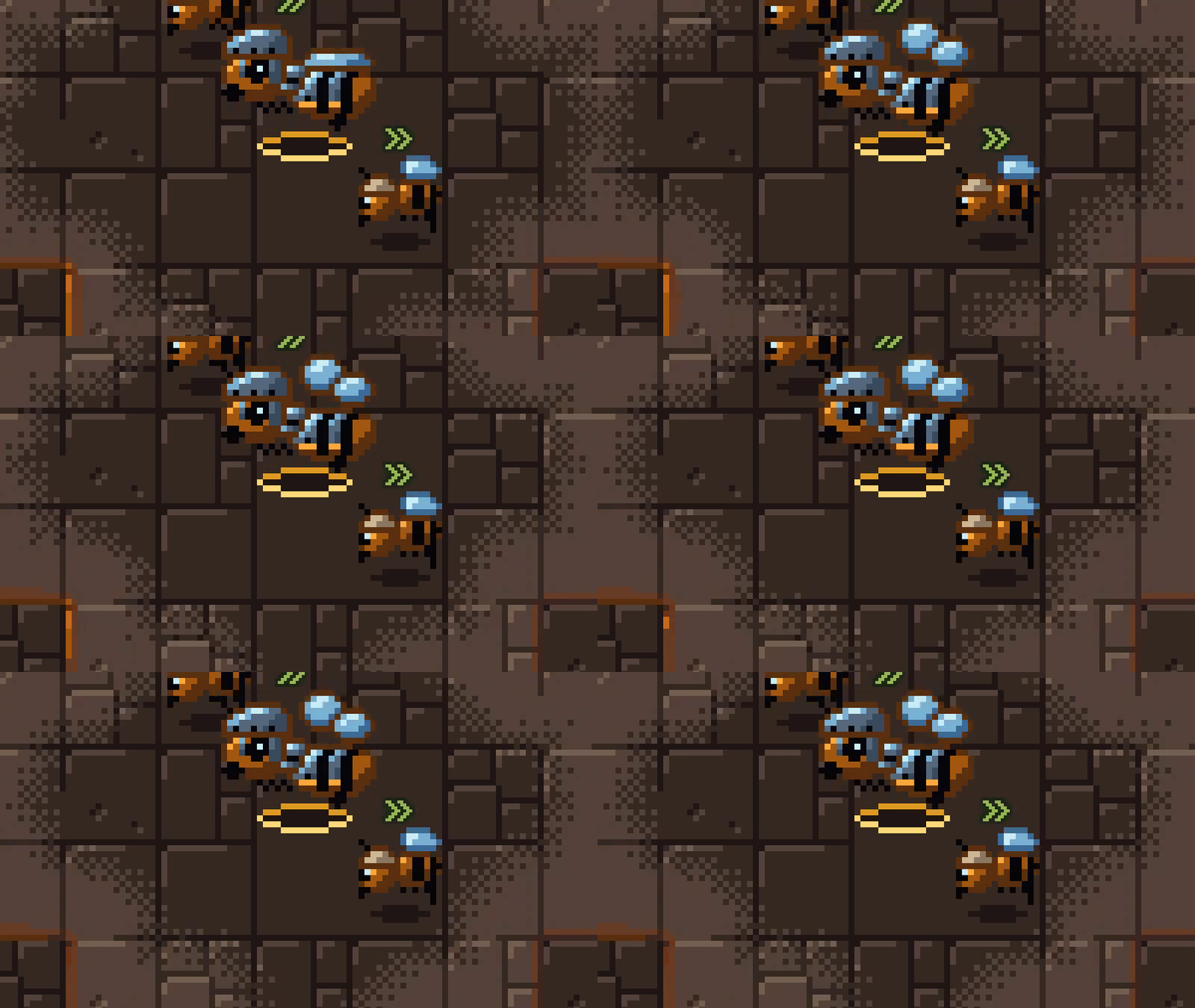
Buzz put on a steel helmet with a nasal guard and cheek guards, spaulders, and a breastplate.
Only the appearance changed, and other rules stay just as they are.
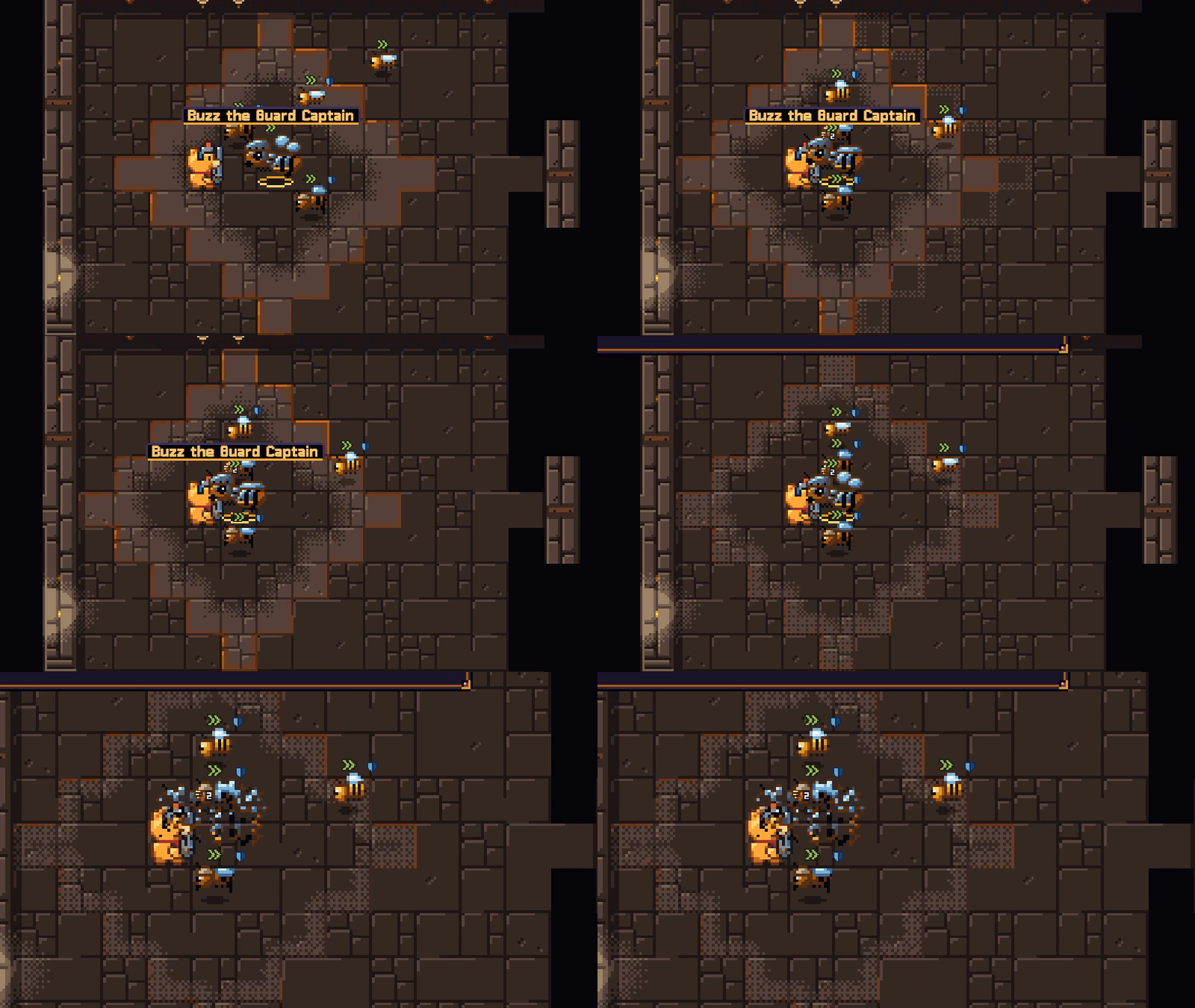
- Buzz the Guard Captain's Barrier Aura now shows as light on the floor.
The floor covered by the aura pulses slowly like breathing in a warm beeswax glow.
Honey light sparkles along the edge of the aura.
This light follows Buzz around and vanishes when Buzz falls.
The intent is to make the area where Buzz protects the swarm clear at a glance.
- I polished the look of deep water to be deeper and clearer. Deep water looks deeper in darker navy with defined edges along the borders. Ripples sway slowly too. Shallow water stays just as it looks now.
- Areas next to stairs and entrances do not collapse during the escape. Stairs up, stairs down, entrances, and the tiles right next to them do not collapse. While Dream Shortcut is open, the area around it does not collapse either. I removed the rule where the tile Sookuma just left collapsed on its own. The idea is to keep the collapse from feeling like it is chasing right under Sookuma's feet.
- Bosses are now called 'Boss'. Bosses like Sewer King Gurgleguts are now called 'Boss' instead of 'Named'. They show as 'Boss' in the alert when you first meet them and in the tier display of the inspect window. Nameds stay 'Named', just like now.
- Breathing tempos now differ for everyone. Monsters, NPCs, and Sookuma each breathe at a different tempo. They no longer all breathe to the exact same beat.
- A speech bubble pops up when you step near someone you can talk to. When you approach someone you can talk to, a little speech bubble pops right above their head. Move away, and the speech bubble vanishes. The Dream Merchant's Stall gently breathes now too.
- Auto-explore smartly seeks out side branches and portal dungeon entrances. If you press O in front of the downward stairs on a fully explored floor, it heads to any unfinished side branch entrance on that floor. It also walks you over on its own to portal dungeon entrances like Dream Sewers. Press it again to head for the stairs, and press it once more to alternate back toward the entrance.
Display and Controls: Clearer Icons and Easier Text
- I shrank the status icons floating above bodies to be small and neat. Buff and status icons, speed marks, remaining turns, and sleep marks shrank to about a quarter of their old area. They became smaller for mobs, Nameds, and Sookuma alike. When newly applied they pop right up, and when ending they shrink away and vanish. The status panel on the screen stays just as it is.
- I drew six new spell icons. I redrew the icons for Firebolt, Fire Pillar, Chain Spark, Bone Shards, Mana Shield, and Clear Breath to look like the effects that appear when you actually cast the spells. They are easy to tell apart at a glance even at quickslot size. The remaining spell icons stay the same.
- Spell cast success rates are shown while aiming a spell. While aiming a spell, the casting success rate for that spell pops up on screen. The displayed success rate is the exact same chance as when you actually cast the spell.
- The inspect window now shows descriptions of unique abilities in a single line. In the monster inspect window and tooltips, Named and Boss abilities that only showed names now show with a name and a short one-line description. If text overflows, it gets cut off with an ellipsis.
- I rewrote twenty in-game lines that read like awkward translations into plain words. I repolished lines like curse logs, scroll text, and long field tips into simple language. The original meaning and rules stay just as they are.
- Bag details now show curses as short tags. Curses get [Permanent] or [Spell]. Curses not yet cleansed get [Cannot Remove], and cleansed Permanent Curses get [Cleansed]. Dropping explanatory sentences shrank the four lines describing curses to two. How Permanent Curse and Spell Curse differ when cleansed is written in the descriptions of Scroll of Uncursing and Scroll of Cleansing.
- I shortened in-game explanations that spelled out rules at length. The places I changed are status tooltips, weapon type descriptions, Piety tier tooltips, Gambler All-In guides, and trait descriptions on the character select screen. In the details of weapons with a brand, I left only a single line for brand stats. Stats and rules stay just as they are.
- A music tracklist has been added to the Bestiary audio section. Tracks you actually heard while adventuring unlock in the Bestiary one by one. The title track is unlocked right from the start.
- I fixed an issue where marks appeared clipped in the Bestiary list. I fixed rows where discovery marks and tier notches were cut off at half height in the Bestiary list.
- The notice box at the top center of the screen grows to fit long text. Even long text like the 'Learned a new spell!' notice fits completely inside the box. Text that still overflows scrolls inside the box at a readable speed. Before, the last line of a long notice stuck out of the box.
- Pressing ESC while watching a run replay now returns to the run list. Pressing ESC once while watching a run record replay takes you back to the run list. I fixed the bug where the list closed along with it.
- I fixed the buttons on the replay screen. In English and Chinese, I fixed the issue where the Play button showed the name of the Regeneration effect. I also fixed the button on the far right of the playback bar sticking out past the bar border.
- I polished replays to be nicer to watch. In scenes where spells and powers with an area of effect are used, the area shows briefly. Only Sookuma's attack scenes slow down a bit. Companion dialogue and the bag window stay up long enough to read. Raising the playback speed on the playback bar shortens them to match.
- Fullscreen now fills the whole screen on Mac. Even on MacBooks with a notch, there are no black bars on the left and right. Even when connecting an external monitor to a MacBook, it fills whichever screen the game is on.
- The Window Size buttons in Settings show your current size. The button for the size you are using lights up with color. Before, the smallest size button always looked turned on no matter which size you used.
You can also check devlogs and news on the Dungeon Sookuma official site.
https://dungeonsookuma.com/en/
Please enjoy fresh adventures to your heart's content in the updated dungeon!