[Demo Update] Blood Frenzy, Mouse Aim, and Coyote Packs

Hi, I'm Sookuma!
I brought along the changes that built up since the last Demo update, 'Dreamguide Maze's New Pacts and a Deeper Adventure'.
I redrew Redfang's Blood Frenzy to look like blood, and added mouse aim and enemy popovers.
Coyote Pups now call packs too.
This time too, the save format did not change, so you can keep going with your ongoing adventure.
Piety: Blood Frenzy and Refreshed Effects
- I redrew Redfang's Blood Frenzy to look like blood.
When you use it, blood surges under Sookuma's feet, spreads across the floor, and scatters into drops.
While Frenzy lasts, seven blood drops drift around Sookuma and fall when it ends.
When it starts, a thin band of blood rushes into the screen edges, stays faintly, and clears when it ends.
Instead of the old red heat border, I drew it in true blood red.
Rules, stats, turns, and sounds stay just as they are.
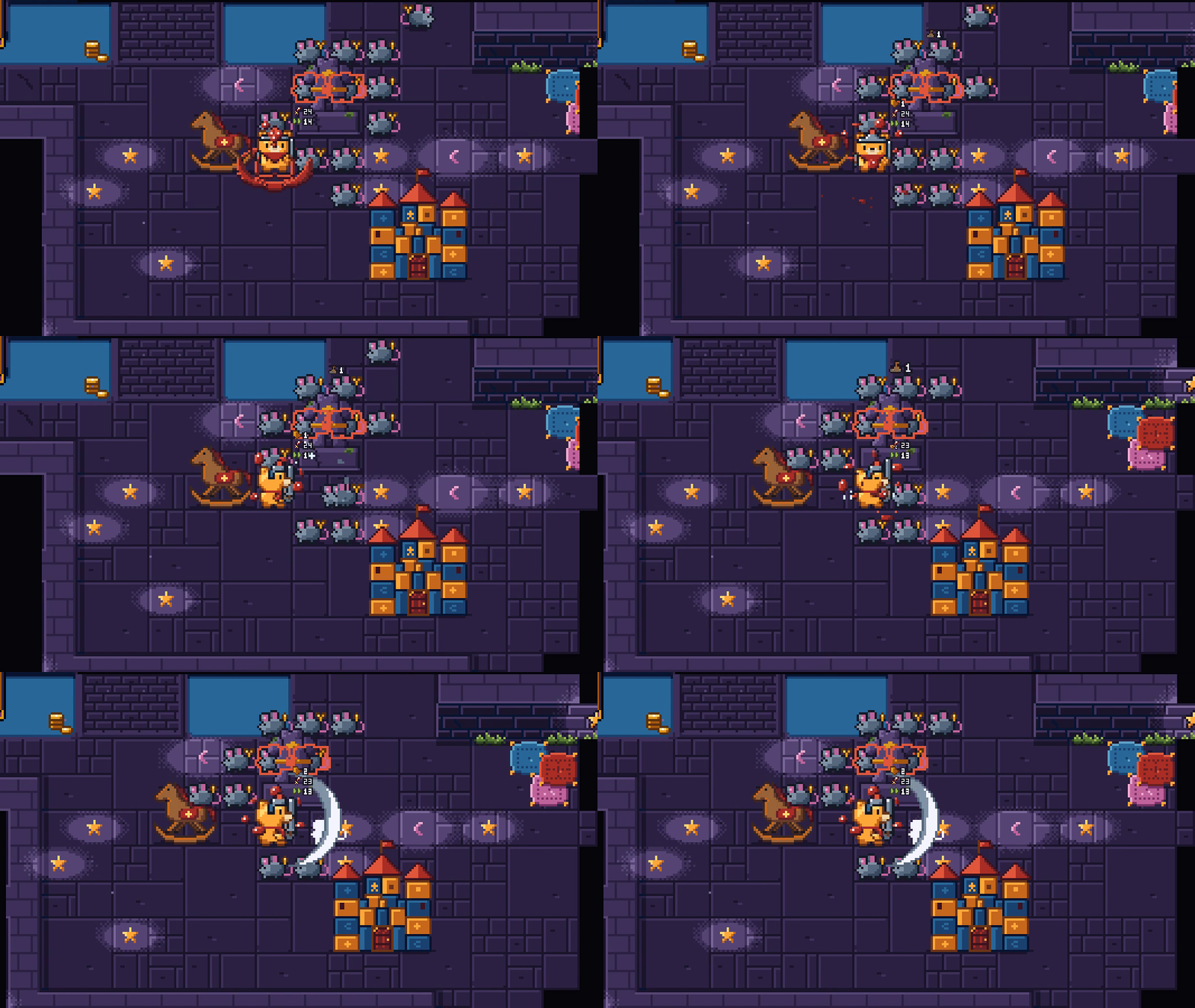
- The three Pacts that change Blood Frenzy each show different blood effects.
For Endless Frenzy Pact, defeating an enemy during Frenzy adds that enemy's blood drop to the surrounding ring.
When that happens, the red edges of the screen pulse with a thud.
With Blood-Drinking Frenzy Pact, every time you strike, a blood drop from the hit enemy is pulled into Sookuma's chest and soaks in.
With Blood Charge Pact, blood marks briefly linger along your charge path before vanishing.
I made this so each Pact would look distinct.
Rules and stats stay just as they are.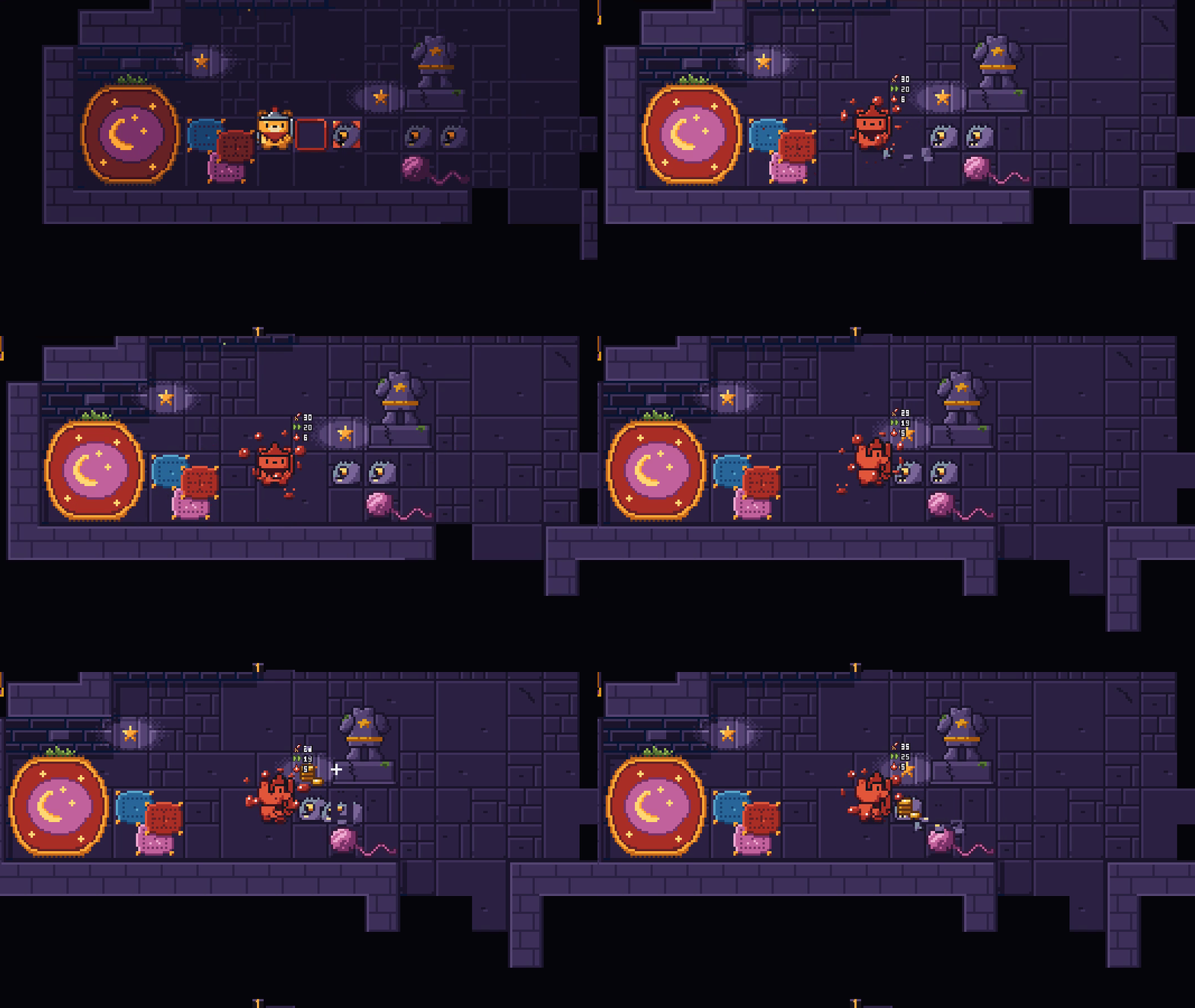
- A god's power now begins after the card flies all the way out.
When using a power with a card in the V window, art and sound play after the card flies all the way into the V slot.
Before, only Dreamguide Maze waited, and for other gods the visuals started under the card and were covered up.
Now, no matter the god, the power shows clearly after the card clears away.
Hit checks, damage, and turns stay just as they are. - Gifts from Ember now include the scroll of immolation.
You can also offer a scroll of immolation as a 'Fire item' when calling upon Ember Avatar.
Gear still stays out of the gifts, as before.
Controls and Display: Mouse Aim and Enemy Popovers
- You can aim with the mouse.
When picking a target or area for spells, bows, throwing, wands, and scrolls, hovering your mouse makes your aim follow.
Clicking confirms your aim on that spot and uses it right away.
You also click to pick powers and target areas.
Right-clicking a tile with no body cancels aiming.
Pointing at an enemy out of range tells you why it cannot be done.
I changed this to remove the awkwardness of fighting with the mouse while only aiming on the keyboard.
Aiming with the keyboard remains available too.
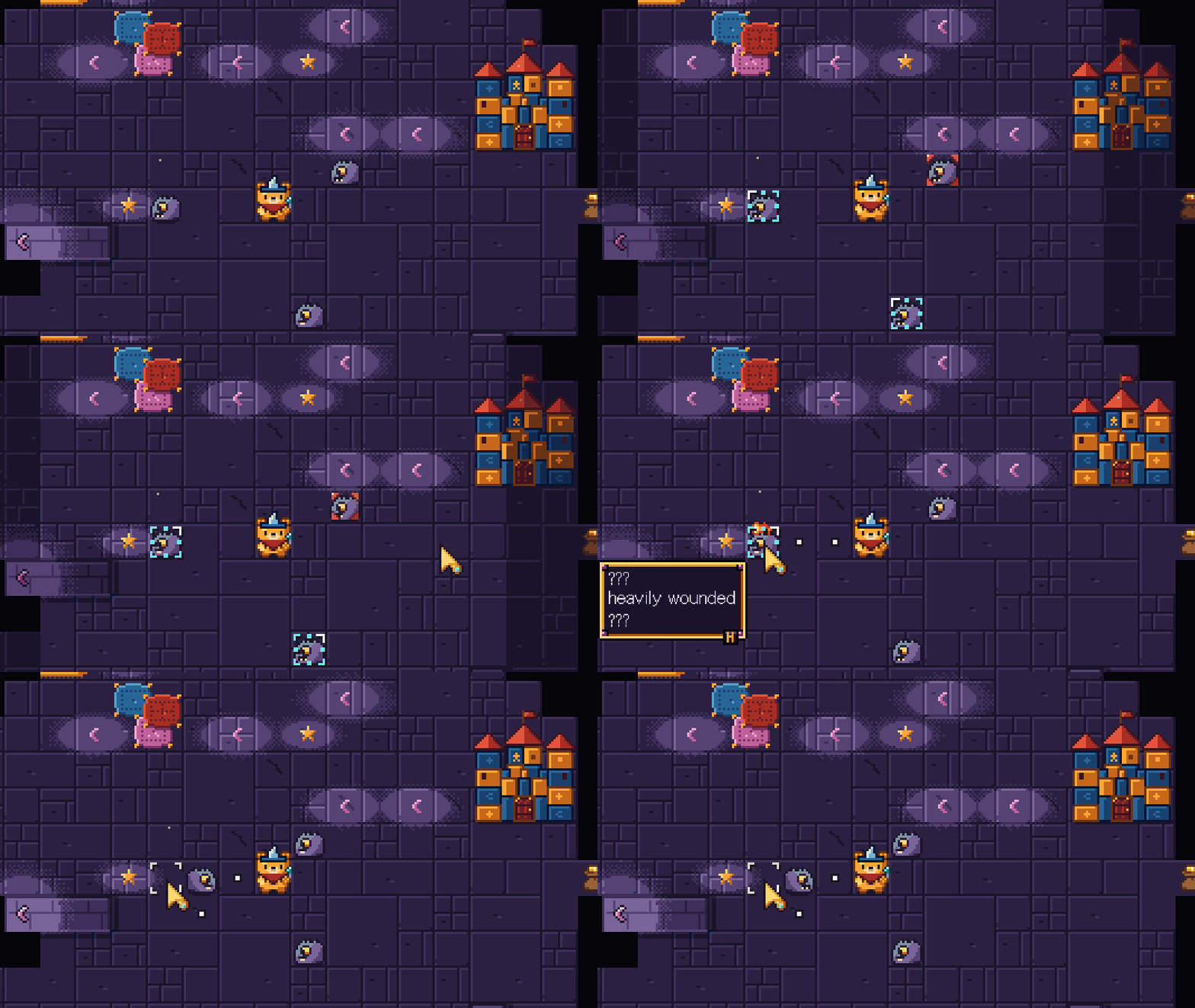
- I made a new little info window that pops up above enemies.
Hovering the mouse over an enemy or pressing J shows their name, injury level, status, skills, and resistance icons in order.
It holds only the needed info without explanatory sentences.
Opening it with J lets you hop between visible enemies using the arrow keys.
Hovering the mouse briefly keeps the window in place.
Clicking that window or pressing H opens that mob's Bestiary entry without spending a turn.
The window pops up on whichever side does not cover Sookuma.
I removed the old inspect window.
I also fixed the issue where trying to click a tooltip caused a stray click that passed a turn.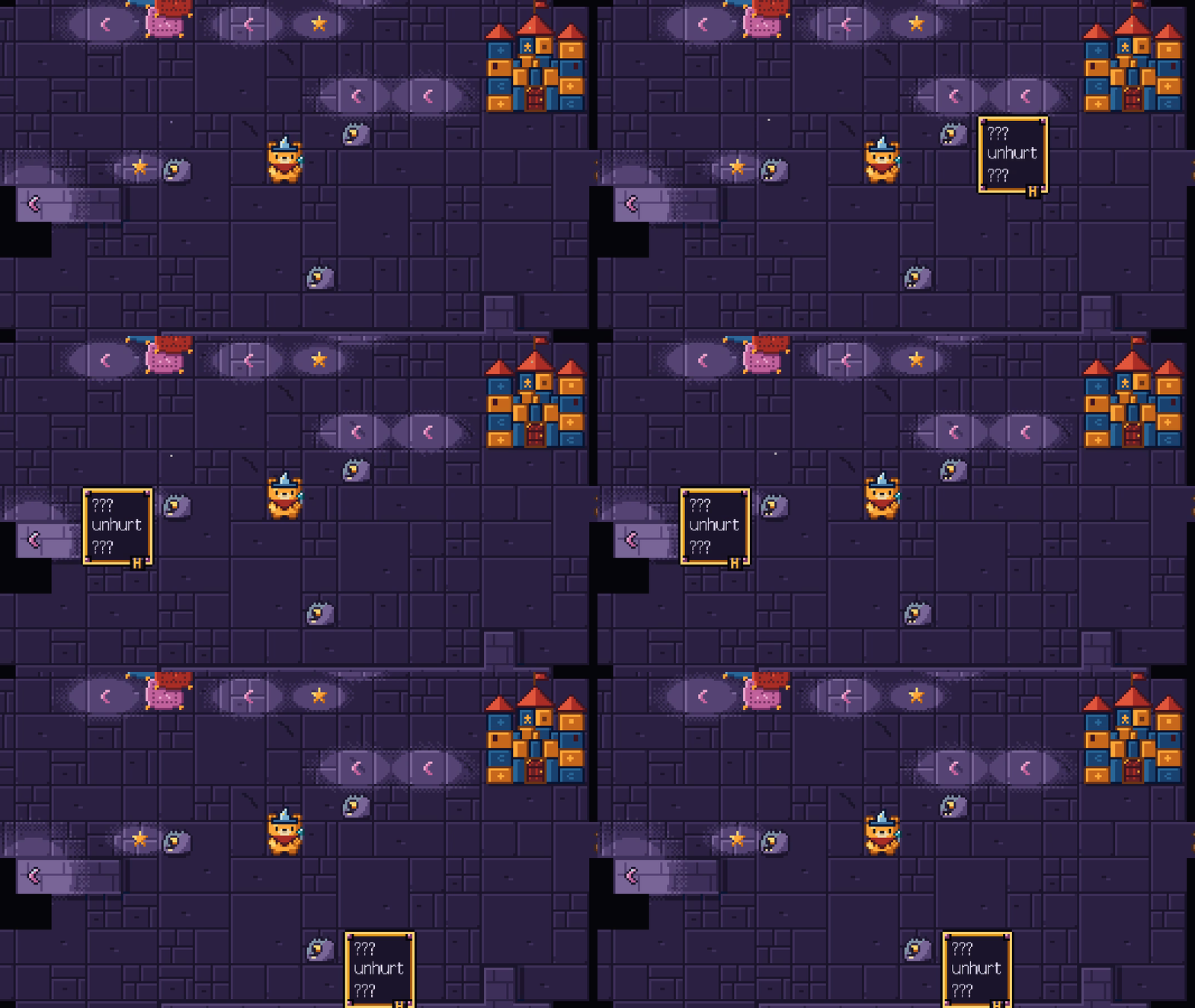
- Information on mobs you see for the first time appears hidden.
For mobs seen for the first time, their name, resistance, and skills show up as ??? in popovers and the Bestiary.
You must defeat that mob once to reveal their name, and learning more unlocks each slot one by one.
In the game log and the overhead nameplate, their name still appears as normal, just like now.
In the Bestiary's special abilities section, a Named's unique rules appear with a name and a one-line description. - Enemies hidden behind large decorations now show with a red outline.
When an enemy is hidden behind large decorations like a toy castle, a red silhouette outline appears.
It works the same way as Sookuma showing as a golden silhouette when hidden.
Enemies show with a red glow, while companions and summons show with a golden outline.
Before, standing behind large decorations made them completely invisible.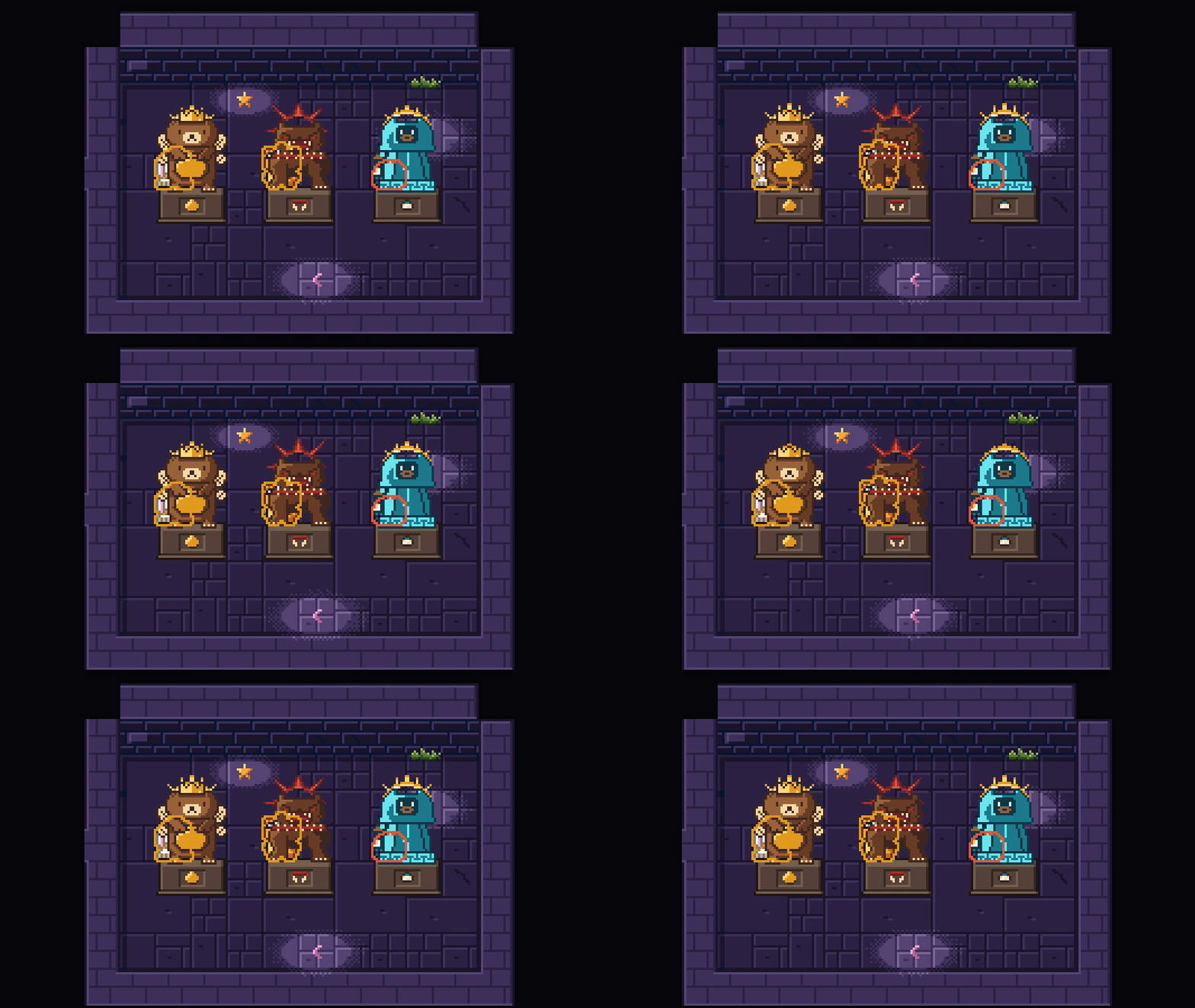
- Overhead status icons now match the status panel at the top of the screen exactly.
Statuses appearing in the status panel at the top of the screen now show on Sookuma's overhead status icons with the exact same numbers.
I aligned statuses that were in the status panel but missing overhead, like a Clockwork Mouse's Gnaw.
I also fixed the issue where a 0 appeared over statuses with no count left. - Spell icons in the PC quickslot are now twice as large.
They fill the slot completely, just like item icons.
Icon art and number key displays stay just as they are. - Reading a scroll used on the floor or an enemy now closes your bag.
Reading scrolls like Scroll of Dreamshift, scroll of immolation, Scroll of Cotton Net, or Scroll of Lullaby from your bag closes the bag window.
After closing, it plays out just like using it from a quickslot.
The idea is to keep the bag window from covering up the scroll's effects.
For potions and scrolls used on gear, like Scroll of Enchantment or Scroll of Cleansing, the bag stays open as normal. - I tidied up overlapping stats in shop item descriptions.
Values already stated in the description were removed from the summary line below.
If a curse already shows in the name, 'Cursed' is no longer repeated in the summary line.
If nothing is left for the summary line, that line does not show up at all. - Sookuma no longer keeps walking when the screen stutters.
I fixed a bug where Sookuma kept walking if you released the movement key during a brief stutter.
If you were really holding the key, Sookuma stops right there, and pressing it again resumes walking. - All four edges of a card's golden border now show when picking a Pact.
The chosen card's golden border displays cleanly on all four sides, including the right and bottom.
Before, it was buried in the card shadow, showing only the top and left. - I polished replays to be nicer to watch.
The aiming line for spells, wands, throwing, and aimed bow shots lingers briefly before firing.
The Firebolt aim that used to flash by now shows clearly too.
Companion dialogue pages now advance a bit faster.
Inside shops and the bag, the cursor moves slot by slot instead of rattling past.
Scenes where the full map was opened and closed right away are shown for 1 second.
I made them all follow the playback speed.
Dungeons and Mobs: Squared Areas and Coyote Packs
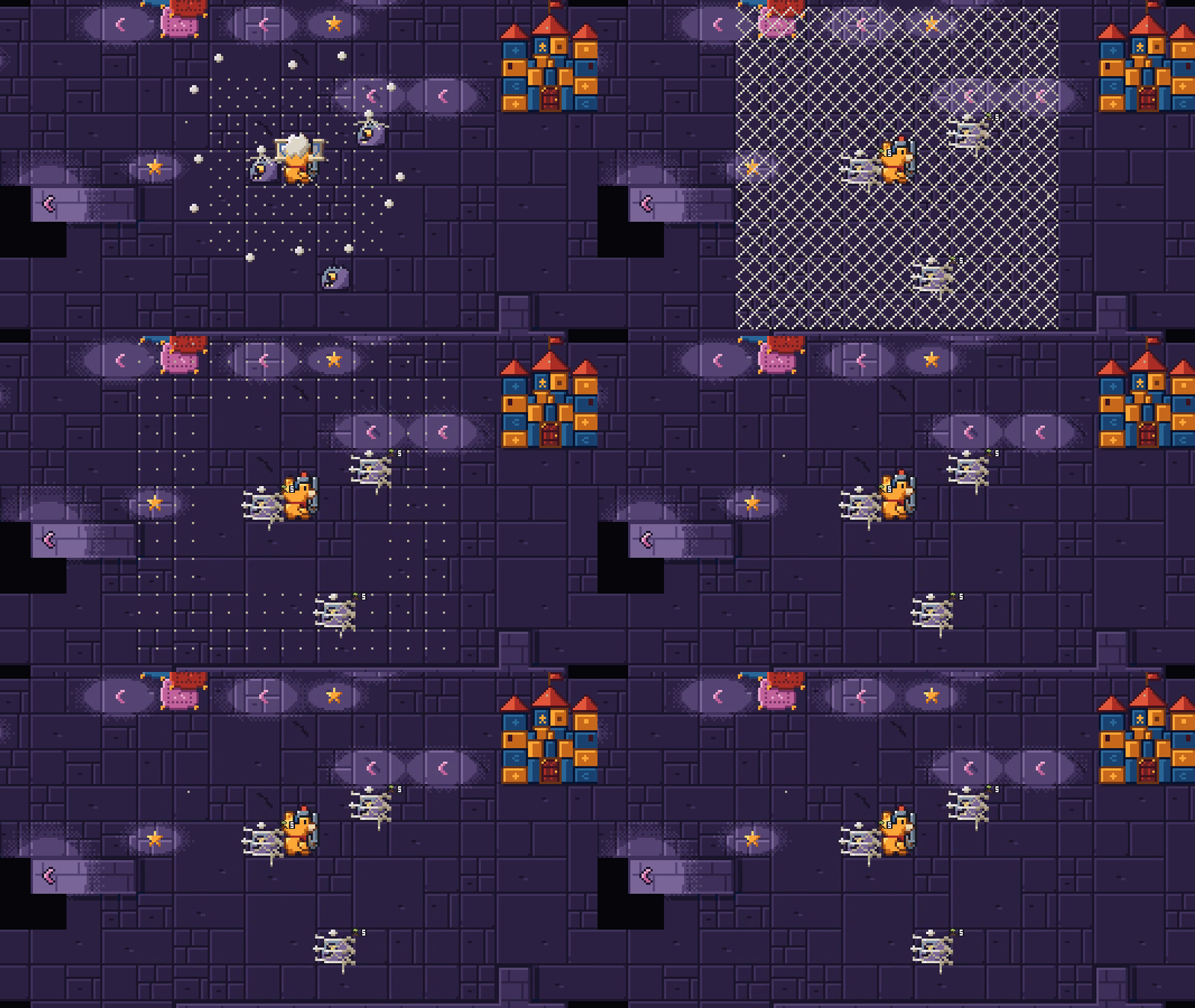
- I turned diamond-shaped areas of effect into squares.
Areas that were diamonds in monster and Boss skills, class skills, scrolls, and divine powers now form surrounding squares.
Buzz the Guard Captain's Barrier Aura, Scroll of Cotton Net, and Scroll of Lullaby work this way.
Some area numbers in descriptions got smaller, but the number of covered tiles is tuned to match the old diamonds.
Floor indicators and previews now match the tiles actually hit.
Intentional shapes like lines or crosses stay just as they are.
Since you move diagonally in one step in this game, the idea is that square areas avoid confusion.
- Coyote Pups now call packs.
When a Coyote Pup spots Sookuma, it howls out loud right away.
Coyote Pups that hear that howl rush toward Sookuma.
After howling once, it will not howl again for a while.
One more coyote pack appears on Dream Dungeon floors 1 to 3 and in Dream Sewers.
Other mobs do not decrease because of this.
Coyote Pups became a bit sturdier, and Clockwork Mice gained a slight boost to Health and Evasion.
The intent is to let coyotes look like the pack hunters they are.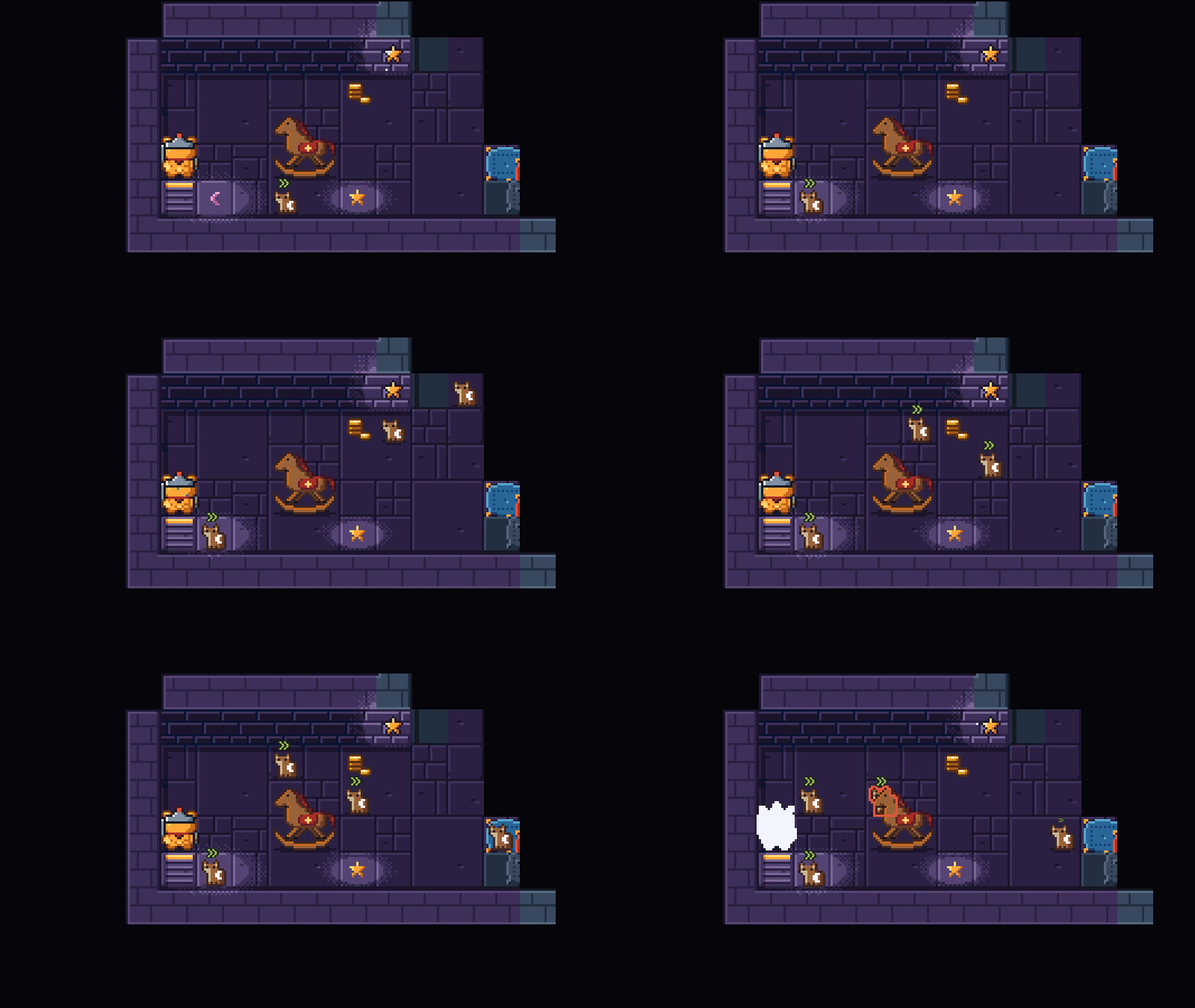
- Monsters now make their own distinct sounds when casting spells or howling.
Before, almost all monster spells shared a single fireball sound.
I created twelve new sounds for charm, fear, binding, draining, petrifying, summoning, and the coyote howl.
Magic bolt plays the wand sound, mending spells play the healing sound, and sleep spells play the sound of the same spell Sookuma casts.
Even if a spell is blocked, its casting sound still plays. - Sewer King Gurgleguts now crosses deep water.
I fixed the issue where deep water kept the king stuck on the moss island, unable to reach Sookuma.
Stepping into the water sends up a splash and a water sound.
Even if the king falls in deep water, the loot does not sink and lands on the nearest shore.
Other rules and patterns stay just as they are.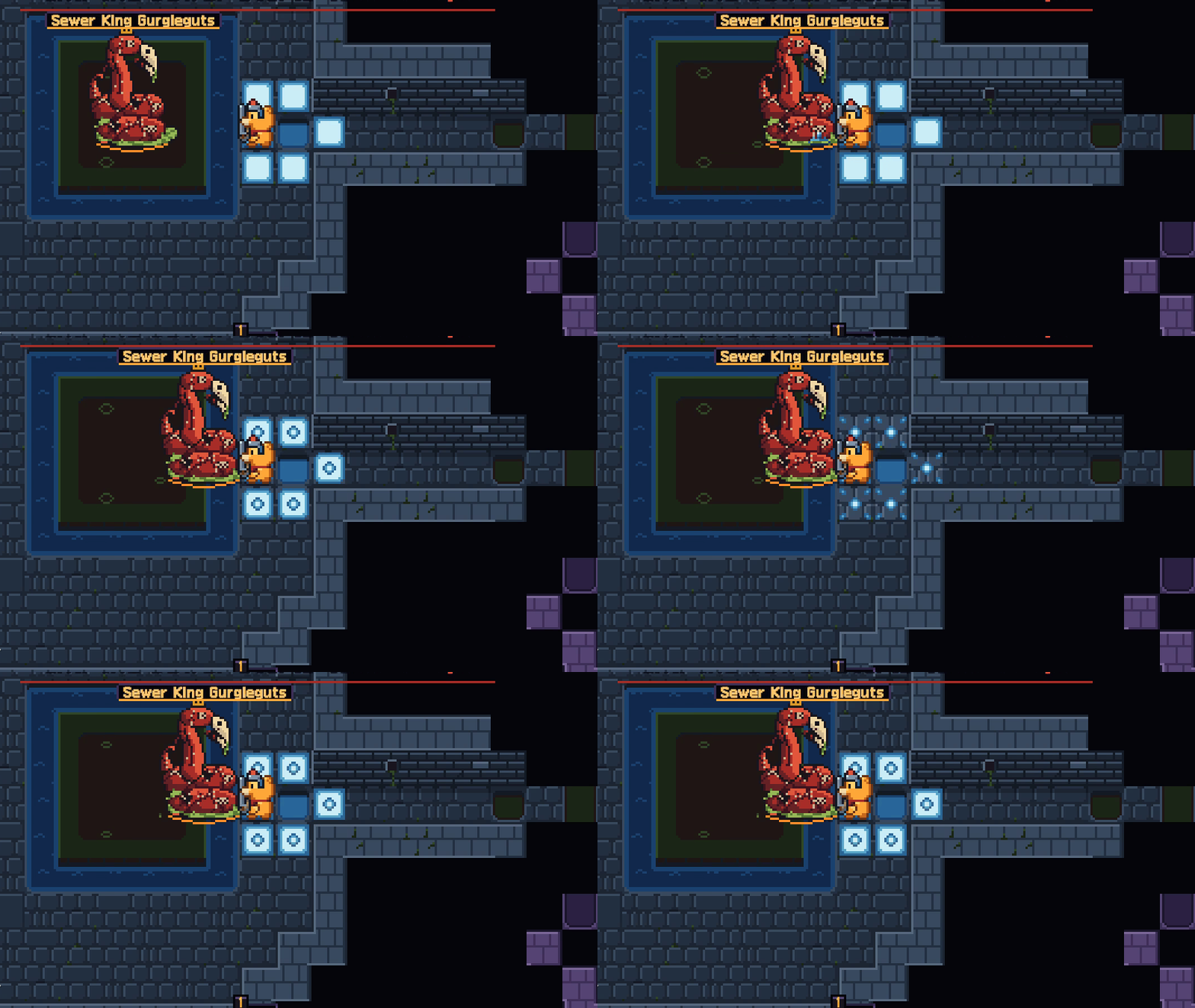
- Named Moriel of the Spore Hymn's poison spores spread wider.
Spores from regular Suspicious Mold stay at their current range.
The spore cloud and light on the floor, along with the Bestiary description, are adjusted for the wider range.
The intent is to make Moriel feel threatening like a true Named.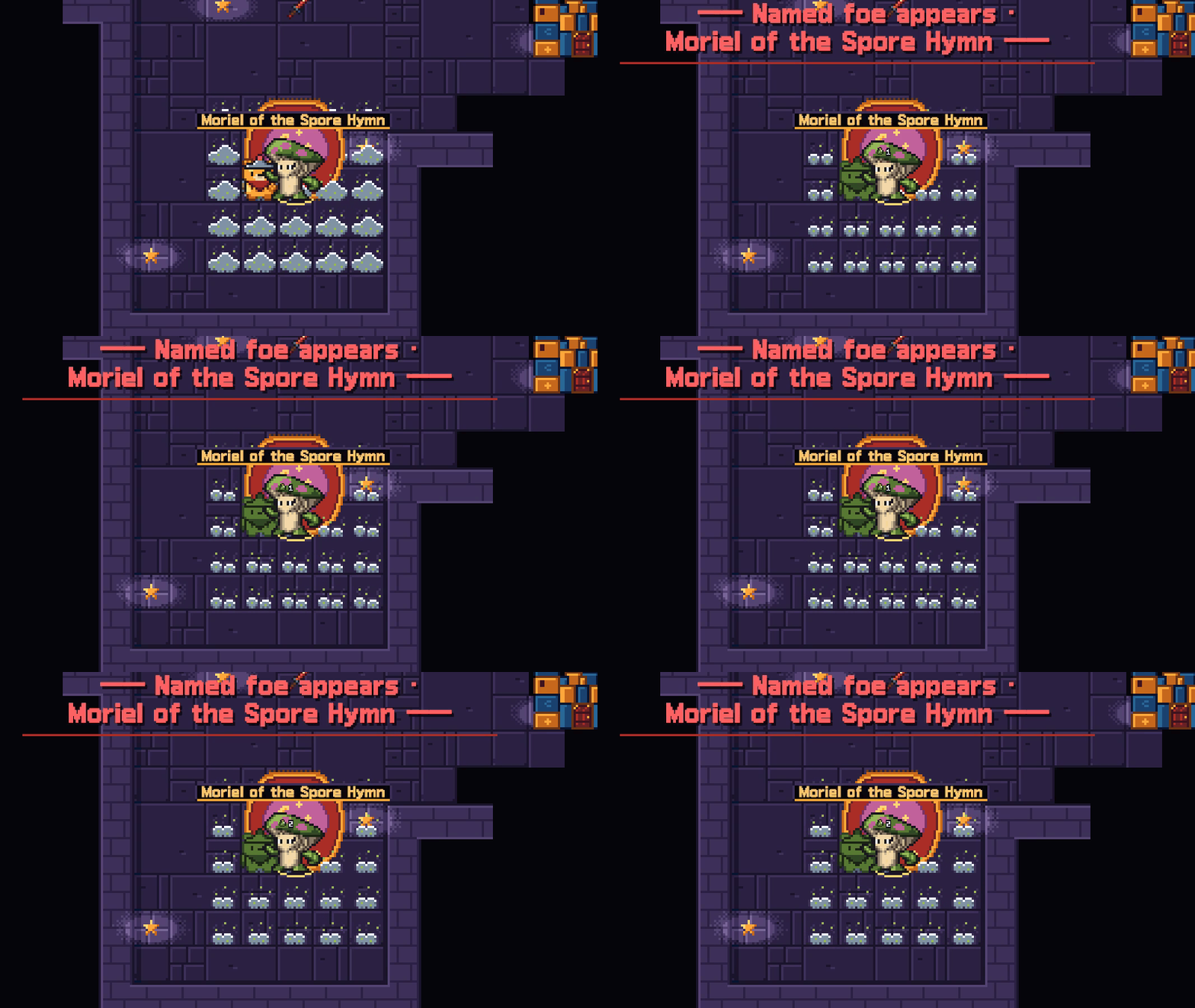
You can also check devlogs and news on the Dungeon Sookuma official site.
https://dungeonsookuma.com/en/
Please enjoy fresh adventures to your heart's content in the updated dungeon!