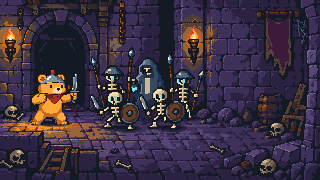
[Demo Update] Altar Prayers, Faith Window, and Right-Side Pack Window
Hi, I'm Sookuma!
I brought the changes that built up since the last Demo update, 'A Relaxed Default Speed, Tile Cards, and In-Game Bug Reports'.
There is now a prayer scene at the Altar, faith cards of different sizes, and the P faith window.
The Pack window opens across the right half of the screen.
You can compare your gear with the compare board.
The save format has not changed, so you can keep going with your ongoing adventure.
Faith: Prayer at the Altar and the Faith Window
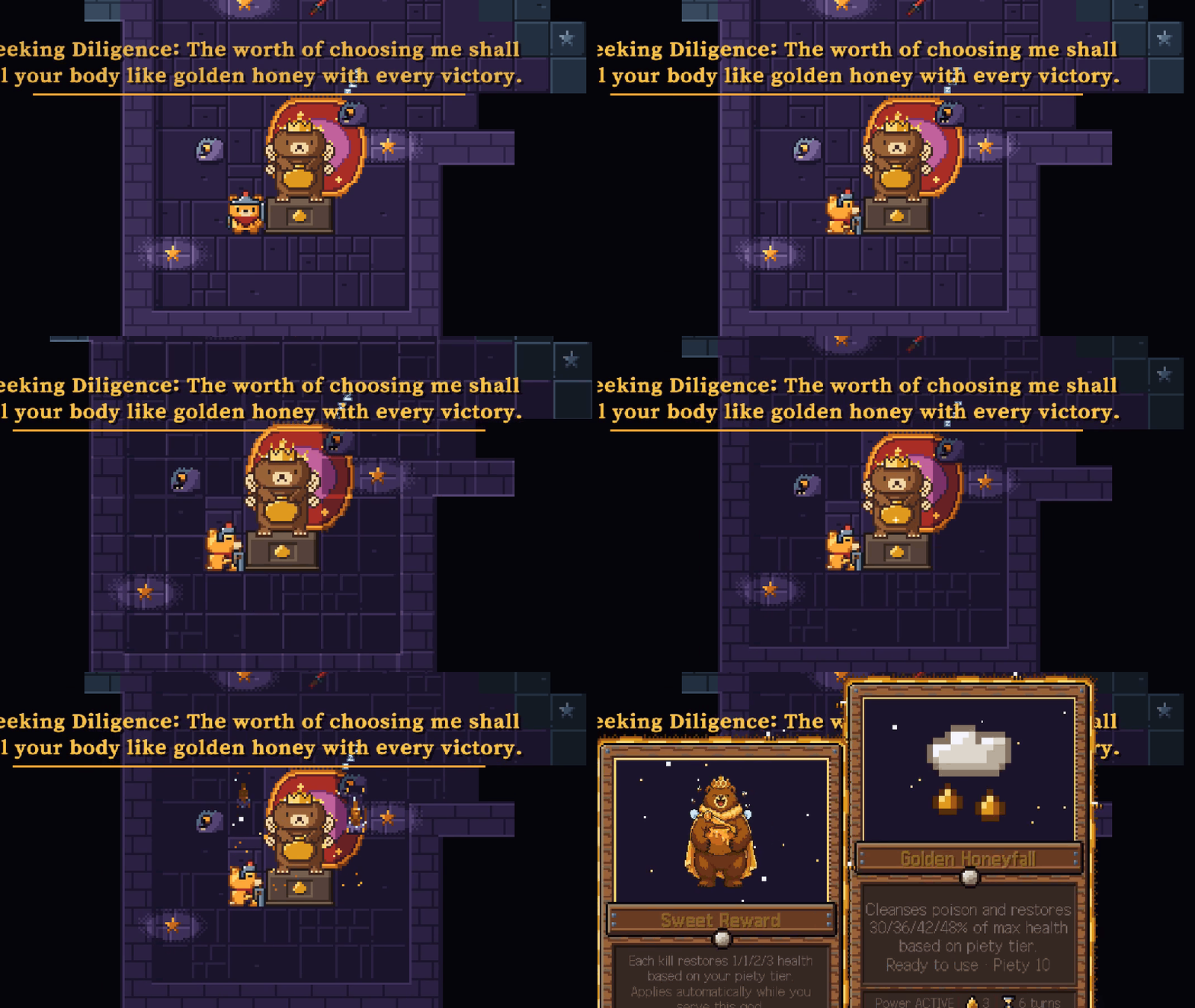
- Kneel and pray when serving at an Altar.
When you choose 'I Will Serve' at an Altar, Sookuma turns toward the Altar.
Sookuma plants the weapon into the floor.
Sookuma drops to one knee and bows.
The screen dims by one step, and the camera draws slightly closer.
Light fills the statue.
Still kneeling, Sookuma receives the first faith card.
Standing back up, Sookuma draws the weapon back out.
Instead of effects covering the whole screen, I had the prayer happen right on the board.
Rules for serving, Powers, and Pacts stay just as they are.
- The five cards in the serve window are separated by size.
'Blessing' and 'Power' stand large in front.
'Gift', 'Likes', and 'Dislikes' stand small in the back.
The card you hover over or pick with the direction keys comes to the front and rises slightly.
You can flip through cards with the direction keys or A and D.
Pick serve or refuse with TAB and the up and down direction keys.
Confirm with ENTER or SPACE.
You can refuse with ESC.
In Pact selection and the V Power row, the chosen card also rises slightly.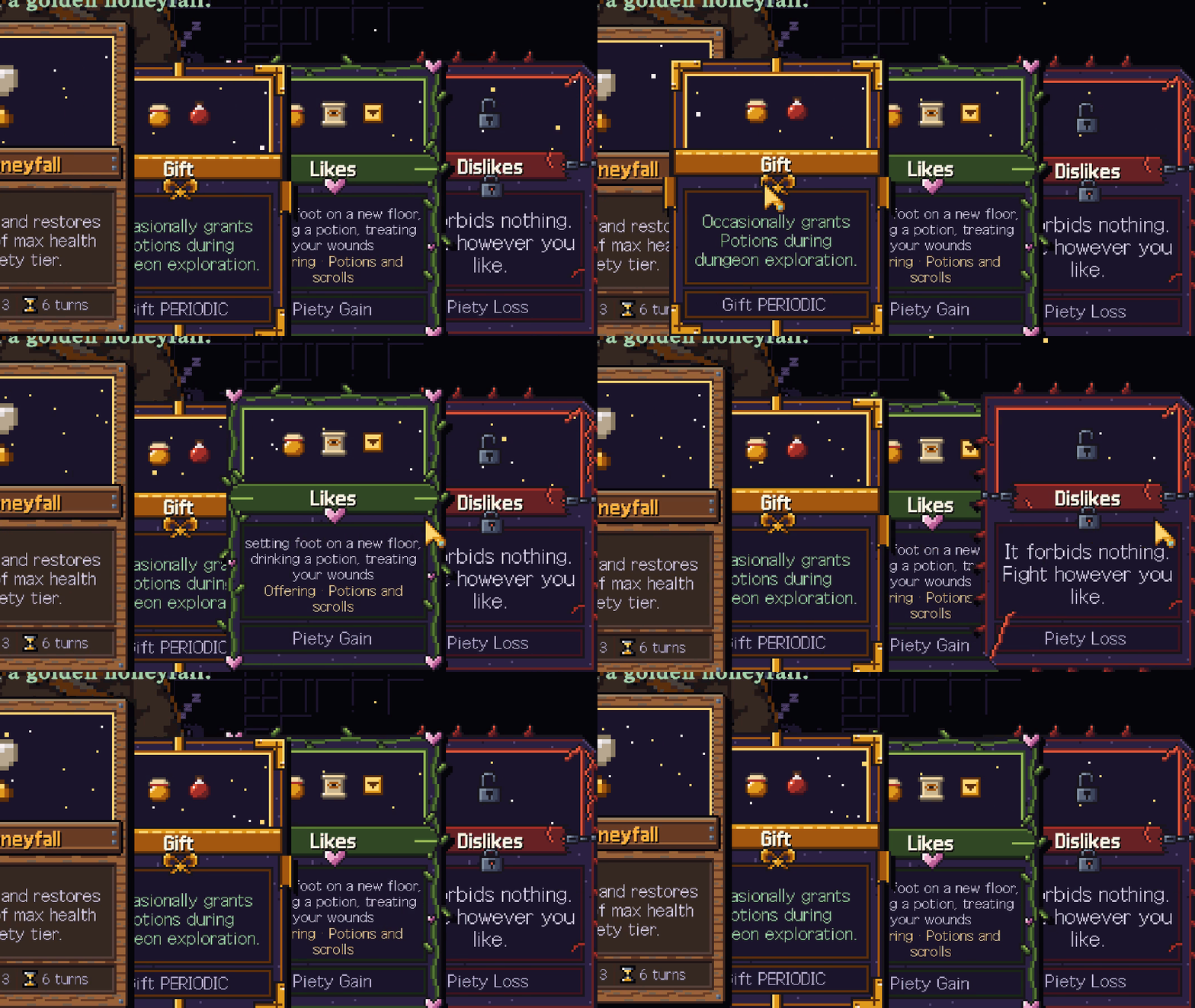
- Press P to see the cards of the god you serve.
While serving a god, pressing P outside an Altar opens the five cards in a window.
Below the god's name, you can see your rank and Piety value.
Opening and closing this window does not spend a turn.
Close it with P, ESC, or the close button.
Where only two log lines used to show, I placed the full faith window.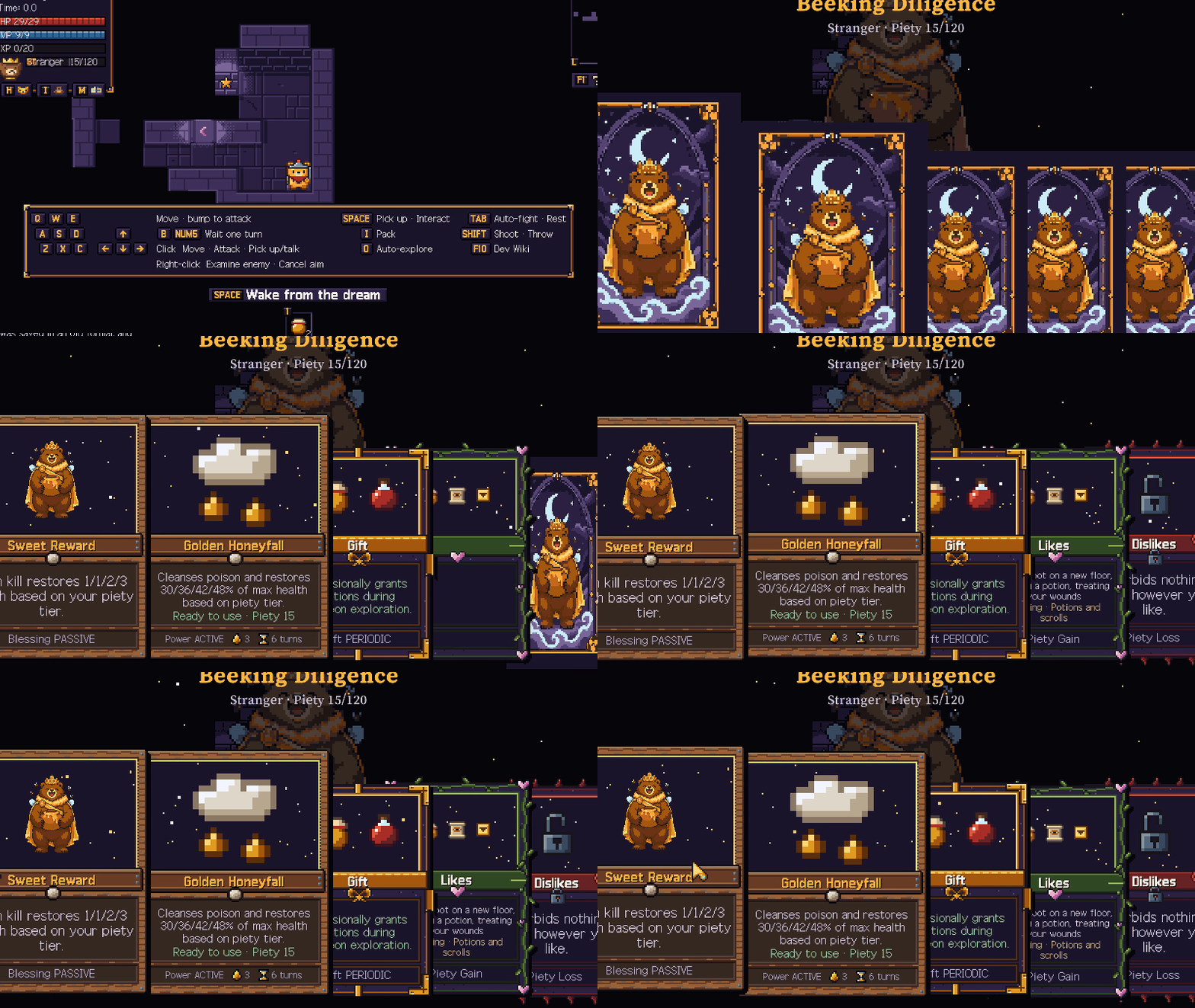
- I changed god descriptions into words that are easier to understand.
The Gift line now reads like 'Occasionally grants Potions during dungeon exploration.'
I polished the liked deed to 'drinking a potion'.
I also made the healing deed simpler as 'treating your wounds'.
The gift interval, deeds, and counting rules stay just as they are. - When unlocking an achievement with a Power, the notice appears after the card clears.
When using a Power with a V card, the achievement notice and sound play after the card vanishes.
I timed the notice to appear together with the Power illustration.
Achievement unlock timing and Powers used without cards stay just as they are.
Pack and Screen: A Right-Half Pack Window and an Organized Screen
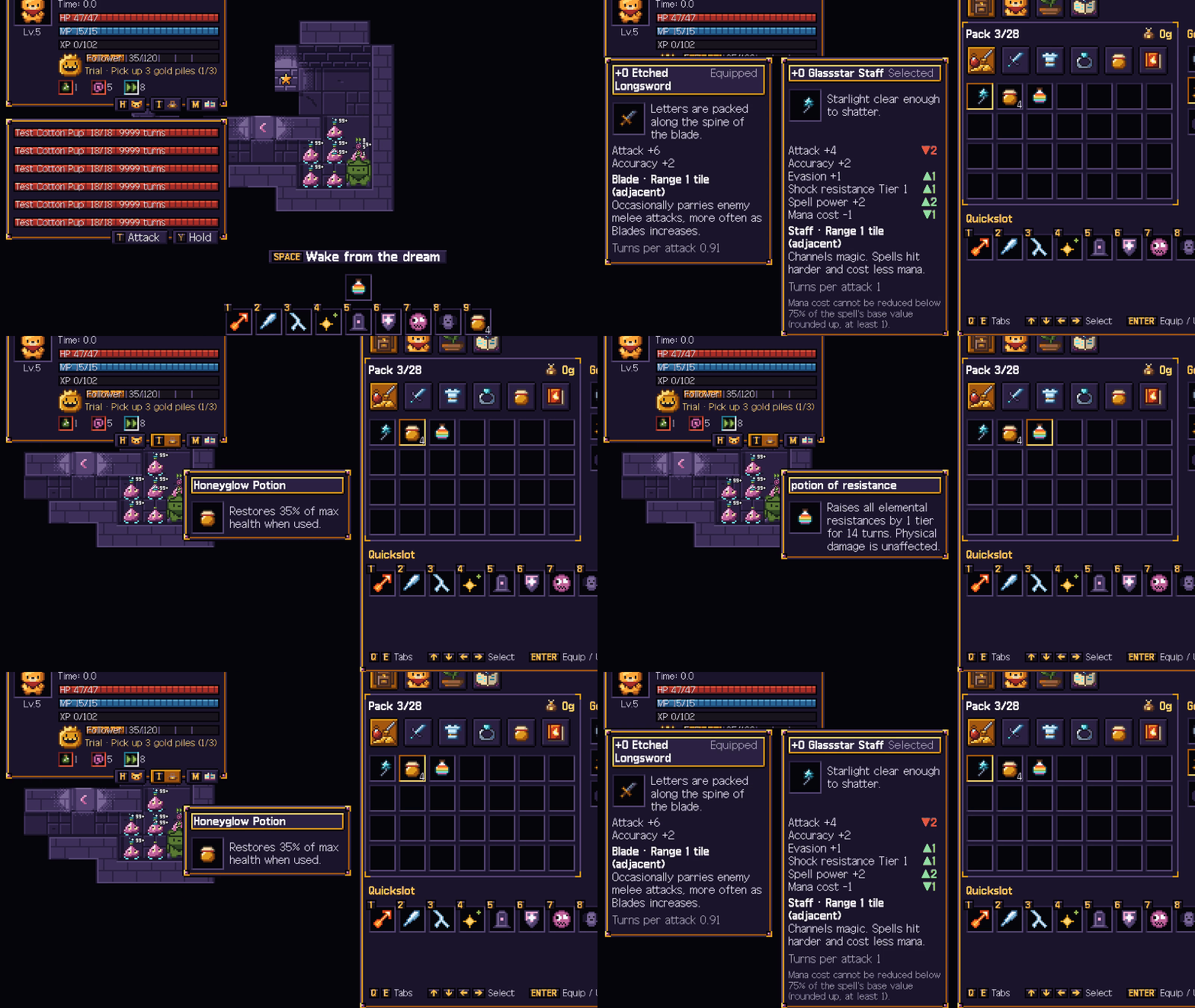
- The Pack window opens across the right half of the screen.
Pressing I opens the Pack window on the right half.
Above the window sit the four tabs: Pack, Character, Proficiency, and Spellbook.
When you pick an item, the two boards 'Equipped' and 'Selected' stand side by side outside to the left of the window.
If an equipment slot is empty, it shows as 'Empty Slot'.
Arrows and differences show only on values that change.
The equipment slot where the item goes also glows.
While the Pack is open, the minimap hides.
The companion panel steps aside.
- Enemy info and tile card boards step aside so they do not cover the screen.
I made the enemy info board and tile cards step aside by the same rules.
They do not cover the minimap and L key, the Speed button, the status panel, the companion panel, or the action bar at the bottom.
They find empty spots without covering the log column or open windows.
If every spot is blocked, they stand where they cover the least.
I also fixed boards getting pushed out oddly because of gaps between corner buttons.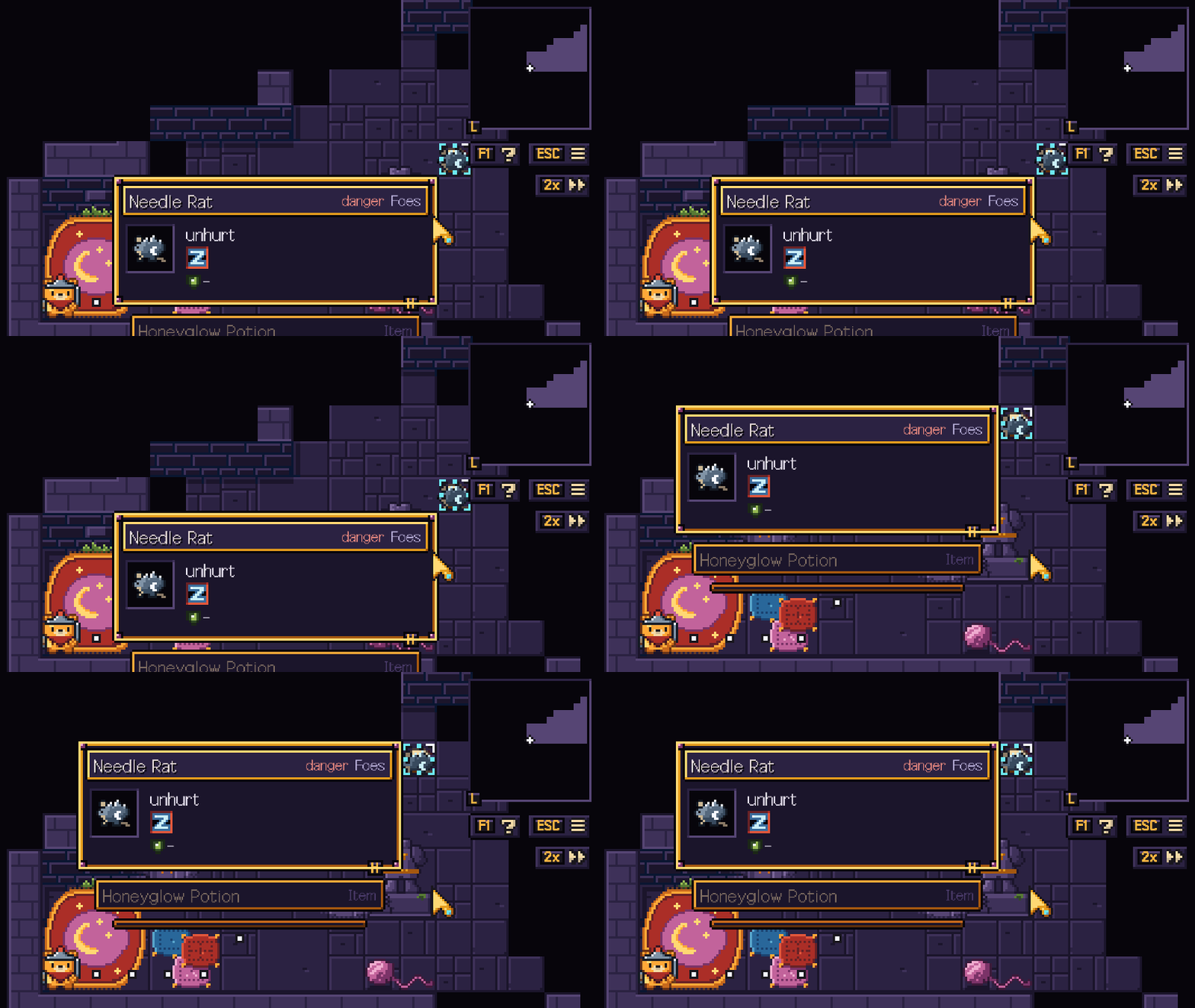
- I shortened the H, I, and M tab guides to be brief and clean.
Hovering over the H, I, and M tabs below the status panel shows only the name and key, like 'Pack I'.
I removed the long descriptions that used to hang underneath.
That way, you can see at a glance which window the key opens. - Aim Wands with number keys, just like other items.
U and N are no longer Wand keys.
Aim and fire Wands with Quickslot numbers 1 to 9, just like other items.
I also removed the U and N Wand explanations from F1 Controls and guide lines.
Switch targets with TAB.
Fire with ENTER or SPACE.
Cancel with ESC.
Wand stats and behavior stay the same as before.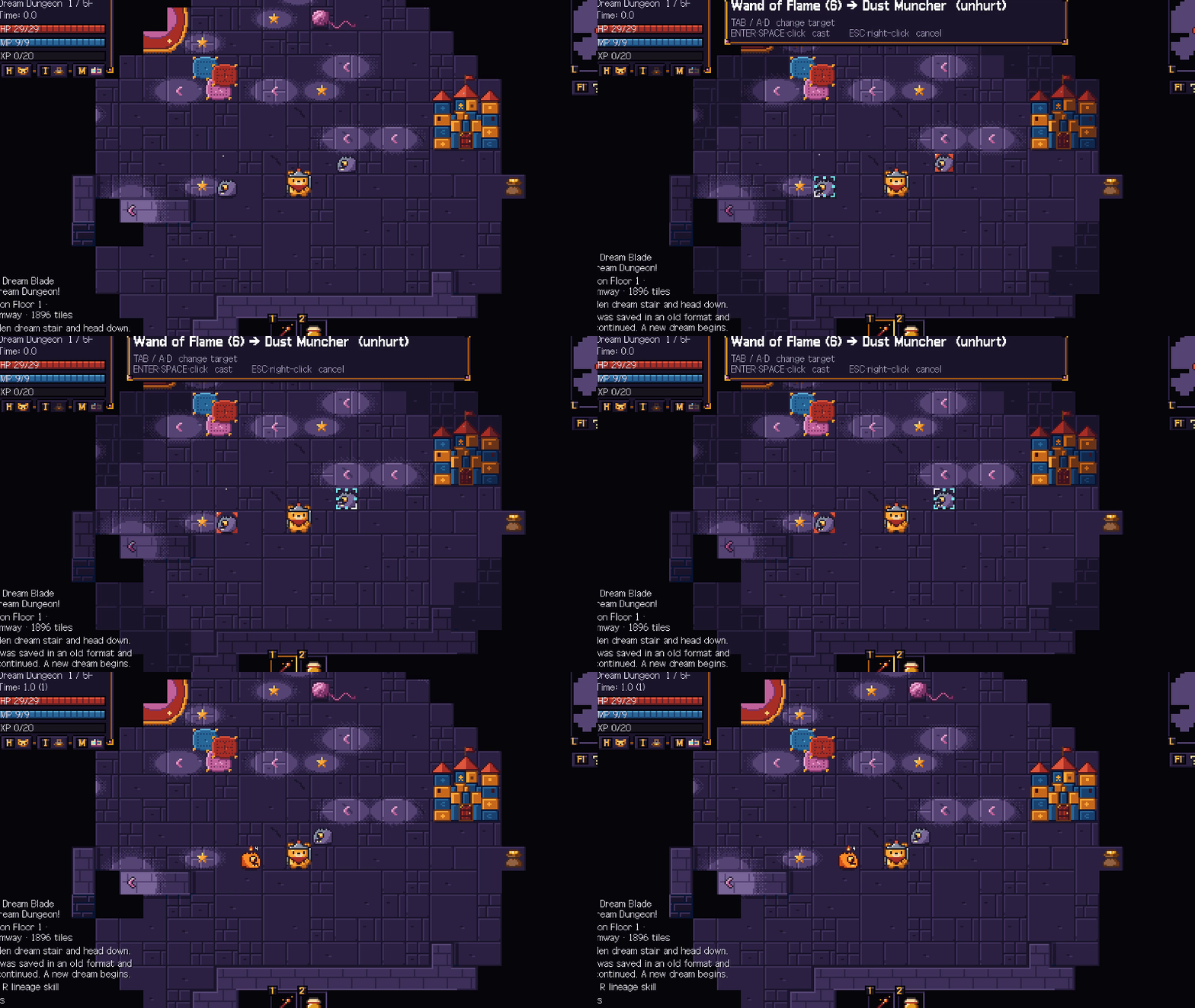
Movement and Fixes: A Natural Camera and Smoother Screens
- The camera catches up right away after teleporting or changing floors. When moving via stairs, a new floor entrance, teleportation, or a trap, the camera points right at Sookuma. Before, it slid over from your old spot, so the first step could look delayed. I removed that slide so it does not feel dizzying. The zoom when hitting and the close-up when praying stay just as they are. When walking around, the camera still moves along without delay, just like before.
- Key inputs no longer freeze when The Awakened Guardian climbs up.
I fixed an issue where keys stopped responding when The Awakened Guardian, who follows you after you pick up the heart, climbs up.
It now waits for input only while the visible climb animation plays.
When it climbs up beyond the fog, it does not hold your inputs.
The guardian's movement and behavior stay just as they are. - Map and faith screens transition more smoothly.
Moving around while keeping the Map open stutters less.
I reduced the hitch when you serve a god or when the first faith card appears.
Flipping through the Pact window also flows more smoothly than before.
You can also check devlogs and news on the Dungeon Sookuma official site.
https://dungeonsookuma.com/
Have fun playing in the changed dungeon this time too!