[Demo Update] A Relaxed Default Speed, Tile Cards, and In-Game Bug Reports
Hi, I'm Sookuma!
I brought more changes that built up since the last Demo update, 'New Spell Icons, Scrolls, and Escorts That Follow Their Leader'.
I relaxed the default speed and added a Speed button that takes you back to the old pace.
Tile cards and J Look around make it easy to see what is on a tile.
You can send bug reports right from inside the game.
This time too, the save format has not changed, so you can keep going with your ongoing adventure.
Speed and Keys: A Relaxed Default Speed and a Speed Button
- I relaxed the default speed and added a Speed button.
Default movement and combat effects now run at half the old pace.
The current pace is 1x, and the old pace is 2x.
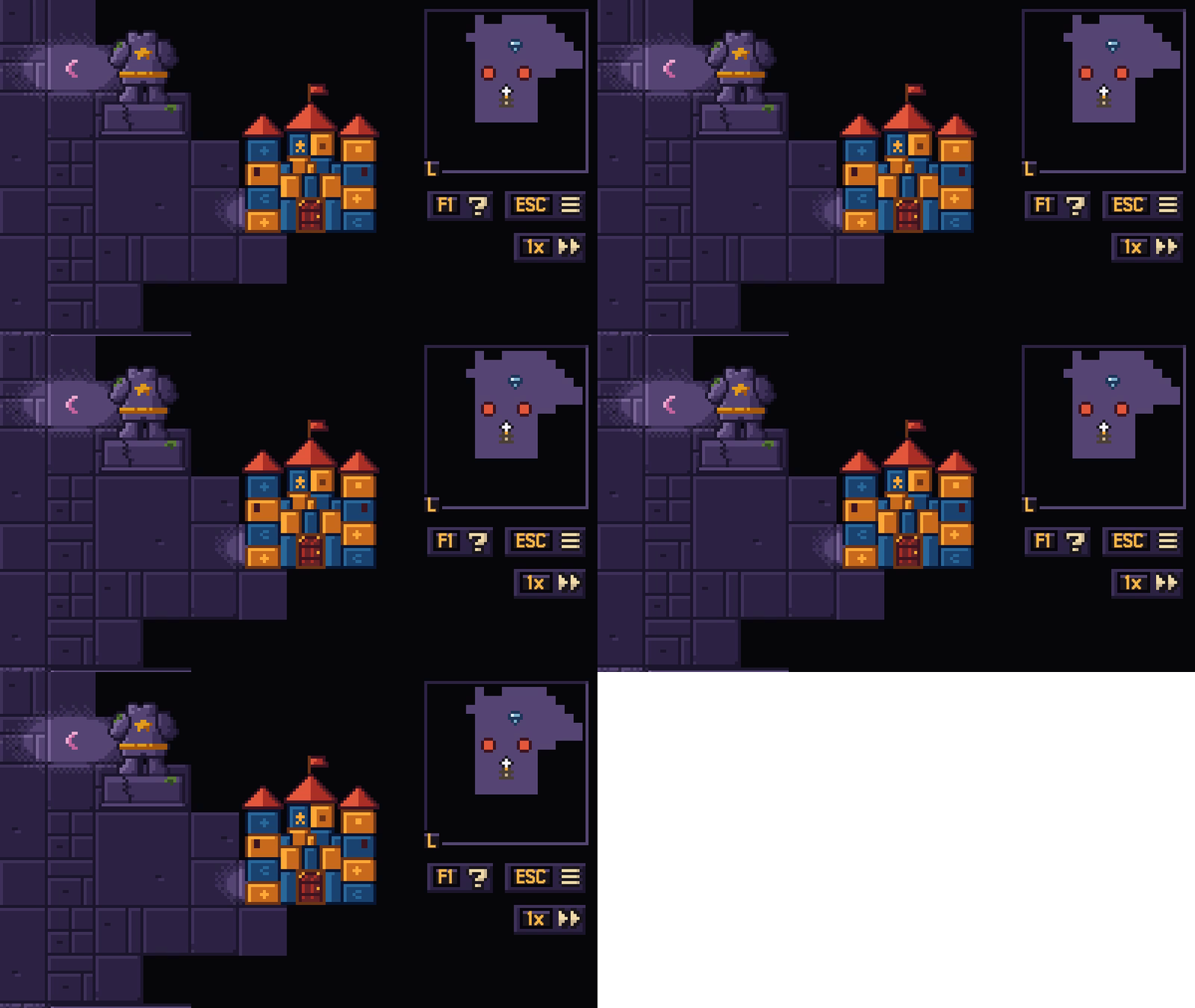
The Speed button sits in the row below the Menu and Help buttons in the top right corner.
Clicking it or pressing F3 switches between 1x and 2x.
The speed you pick is kept in your settings.
It only applies to automatic movement and combat effects.
God and card effects run at their original pace to match the hymns and card sounds.
Hit checks and Replays stay just as they are.
- Resting a turn is B, and S moves down.
Pressing S moves you down.
X is still down, as before.
Resting a turn is B.
I moved the Wand from B to U.
Switching Wands is still N.
SPACE still picks up first, then does the action underfoot.
I gave resting its own key so it does not get mixed up with other actions. - I reordered the action bar at the bottom.
I grouped auto-combat TAB and Auto-explore O at the very front.
After a small gap, ENTER Aimed attack and B Rest stand in order.
The two automatic actions sit together in one place.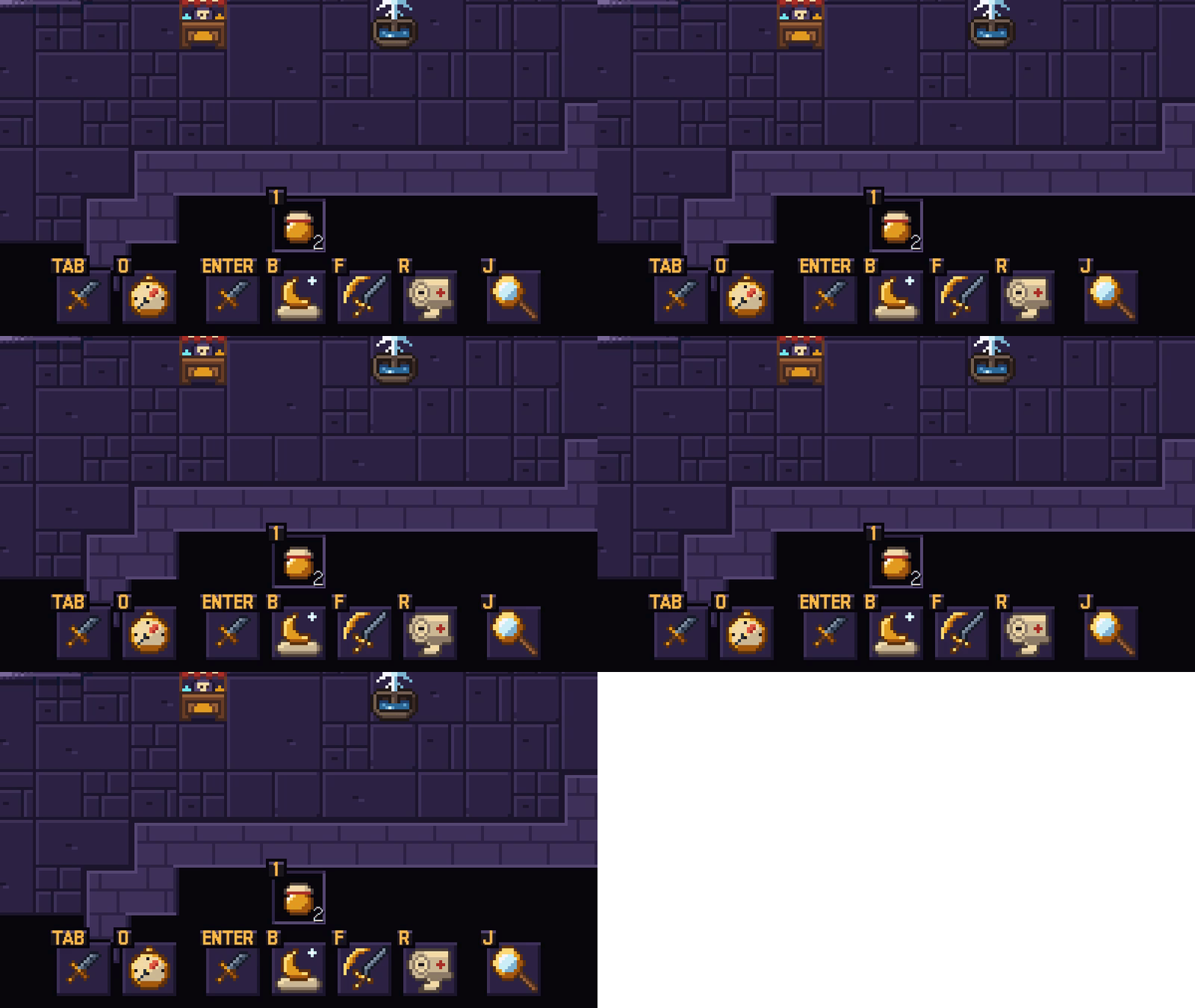
- H, I, and M tabs now hang across the bottom border line of the status panel in the top left.
H is Character, I is the Pack, and M is the Spellbook.
Each tab has a small picture beside the key letter as one piece.
When you hover over a tab, a tooltip shows that window's name and key, like 'Pack I'.
Clicking one opens that window.
I and M are gone from the action bar at the bottom.
I also matched the companion panel's T attack order and Y wait tabs to the same shape.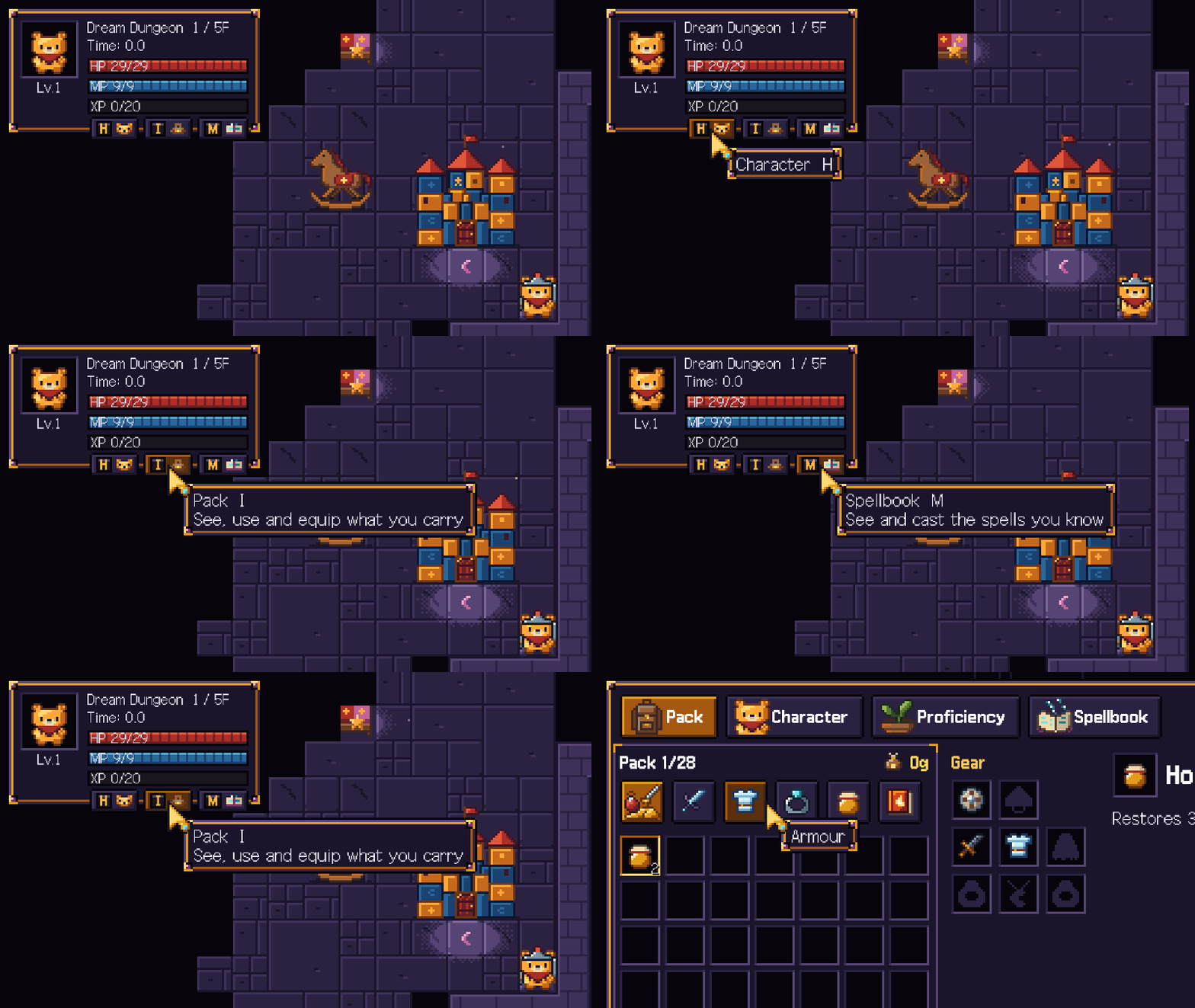
- You can use G to talk to a companion beside you.
You can ask a Bamdori that follows you to check your Pack, just like one on the floor.
Before, once you took one along as a companion, you could not talk to it.
When no companion is beside you, the slot is dimmed.
G sits next to T attack order and Y wait in the companion panel.
The pick-up-only G is gone.
SPACE picks up first, then does what it did before.
Mouse and Looking Around: Tile Cards and J
- Hover the mouse over a tile, and a card stands for each thing on that tile.
Floor, decorations, items, and bodies each get a card, stacked vertically from the top.
Scroll through them with the wheel or TAB.
A body you have never seen shows as a question mark and a silhouette until its name enters the Bestiary.
Wet ground and High Ground show an effect line only for walking bodies.
Clicking a card opens that body's Bestiary entry.
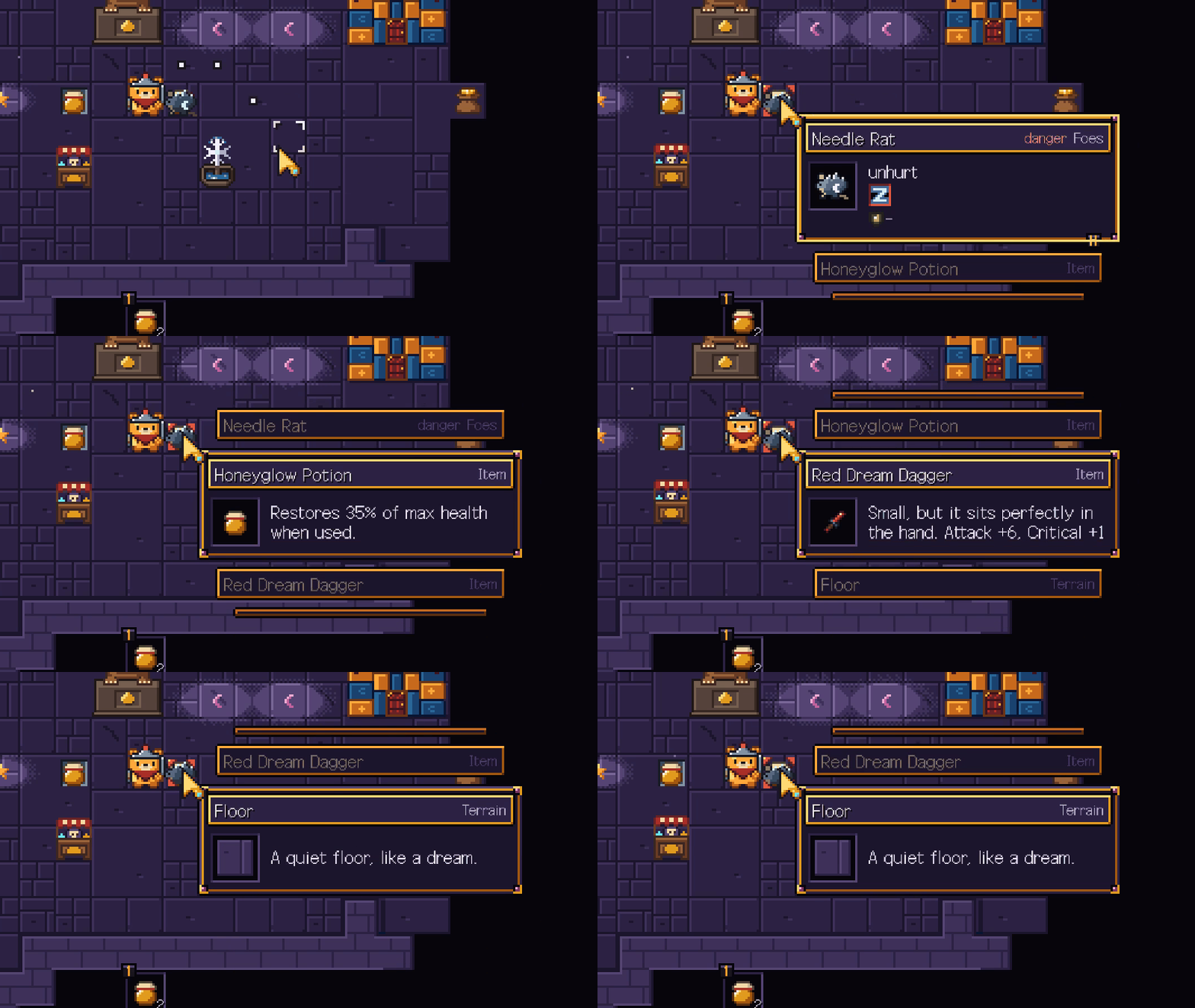
- Press J to look around tiles without spending a turn.
A cursor appears under Sookuma's feet.
Move it one tile at a time with the direction keys to see what is there.
A J button sits at the far right of the action bar at the bottom.
Pressing H while looking around opens the Bestiary.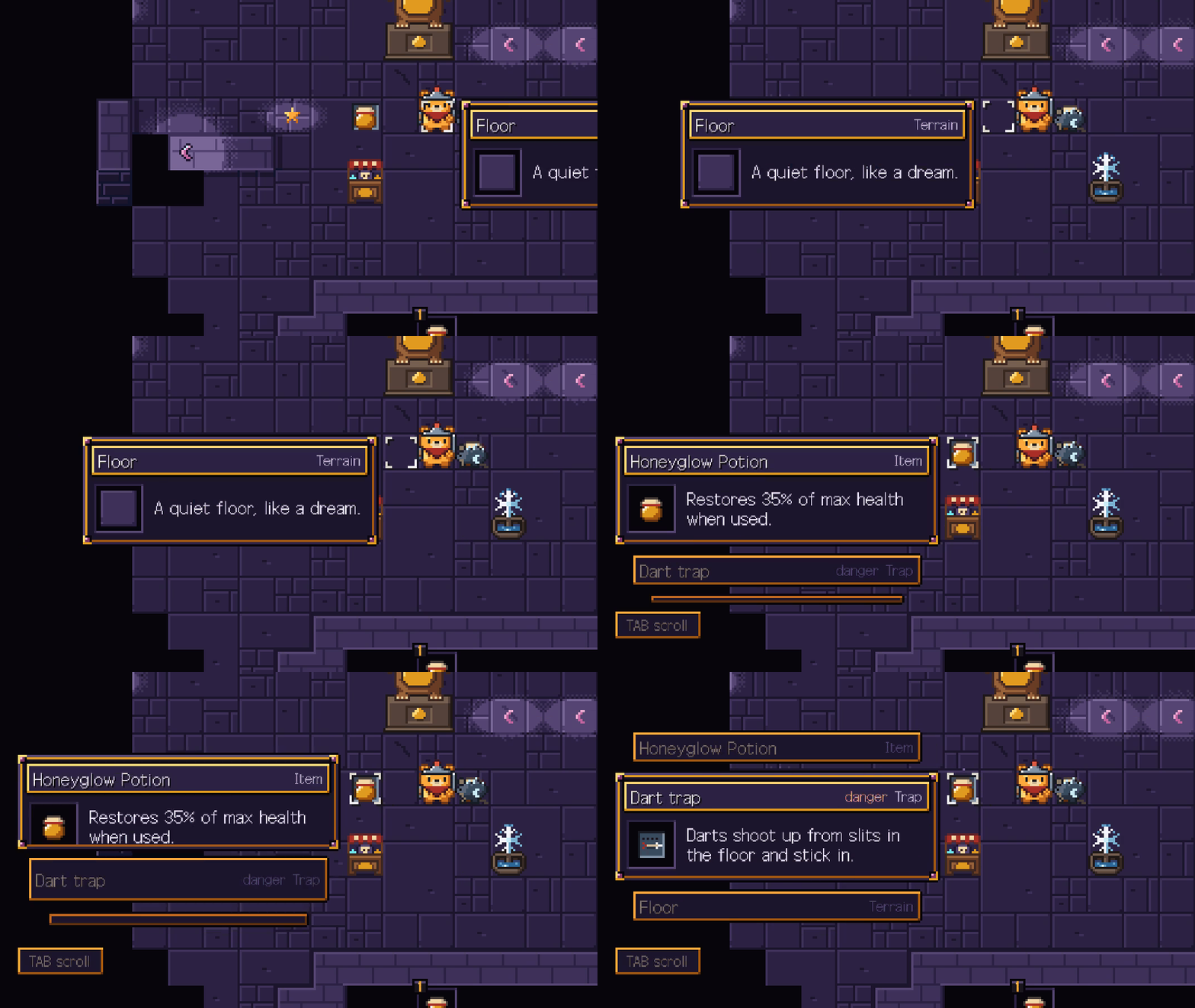
- You can close windows you see often with the mouse.
On the defeat screen, the 'Back to the Dream' and 'To Main Menu' buttons appear after a moment.
Before, you could only move on with the R and ESC keys.
The Controls, Bestiary, Hall of Dreams, Shop, Fountain, and power card windows have the same close button.
In the top right corner of the play screen, a small Menu button and a Help button replace the F1 Help text.
Long lists in the Shop and in item selection scroll with the wheel.
- Click Sookuma's tile next to a person, Fountain, or Altar to talk right away.
You talk, look in, or pray without waiting a turn.
It is the same as pressing SPACE.
Common guide messages, like those for the Altar, Fountain, stairs, doors, people, items, and Shop, now also tell you how to do it with the mouse, along with the key. - The talk marker no longer covers Sookuma's face.
When you stood on the tile just north of someone you could talk to, the three-dot marker covered Sookuma's face.
Now, in that case, it sits beside Sookuma's body, on the other person's side.
Everything else stays as it was.
Combat and Dungeons: Visible Enemy Spells and Wet Ground
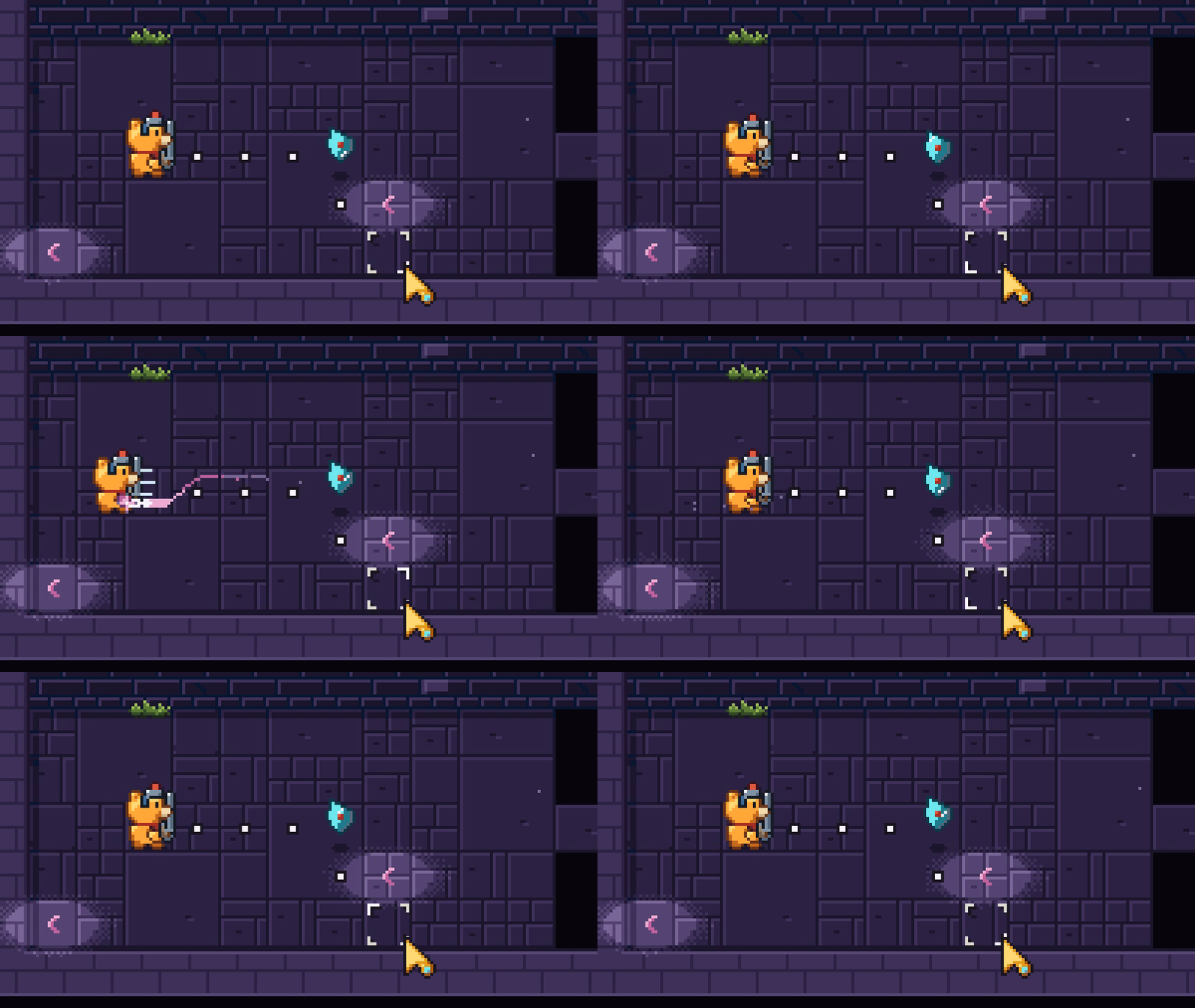
- Enemy spells that fly are now visible, and they roll against Sookuma's Evasion.
You can see spells like Magic bolt, cold spells, and Drain flying at you.
They check Sookuma's Evasion by the same rules as Sookuma's own spells.
If they hit, they burst on Sookuma's tile.
If you dodge, they graze past and vanish behind you.
Holding skills now apply Rooted instead of freezing.
A Rooted body, whether Sookuma or an enemy, cannot dodge.
Area attacks and mind spells still ignore Evasion, as they do now.
- Being wet makes electricity pass through more easily.
A body standing in water, Deep Water, or Mud gets the 'Wet' status.
When a wet body takes Lightning, whether Sookuma or an enemy, its Shock resistance counts one step lower.
The Named Storm Cloud's thunderbolt is now an ordinary Lightning spell.
I removed the extra damage it used to carry.
I also removed the shock weakness of mobs that live in water.
The wet ground rule already lowers it one step, so they no longer get hit twice.
- Standing on a high tile widens your Sight by one tile.
Standing on a high tile like a Bed still gives Accuracy +1 and Evasion +1, as before.
On top of that, you get one more tile of Sight.
It ends when you leave that tile.
Hover over the High Ground icon in the top left, and a line reads 'Accuracy +1, Evasion +1, Sight +1'.
The High Ground entry in the Bestiary explains it too. - Flyers are not affected by terrain.
They do not get wet, they cross Deep Water, and they do not trigger floor traps.
They also get no High Ground effect and no slowdown on soft tiles.
Sookuma and enemies follow the same rule. - The number that answers a Coyote Pup's howl is no longer the same every time.
When it howls with few packmates nearby, the coyotes running in from afar are no longer always two.
Now it is one of 0, 1, or 2.
I wanted it to feel less mechanical. - Escorts and hunting packs no longer take the long way round when gathering by their leaders.
Before, on their way to gather, they would treat their own pack like a wall, take a long detour, and end up farther from their leaders.
Now in narrow passages they line up behind a packmate and follow along.
If the front of the line gets blocked, they take the way around instead.
So they and their leaders no longer just stand there waiting on each other.
I wanted escorts and packs to stick together instead of scattering. - I reduced screen stutter when escaping and in rooms with many mobs.
The screen used to stutter during the dungeon collapse turns and during enemy turns in rooms full of mobs.
I reduced that stutter.
The results of the run and what you see stay just as they are.
Faith: Prayers That Do Not Cover the Board
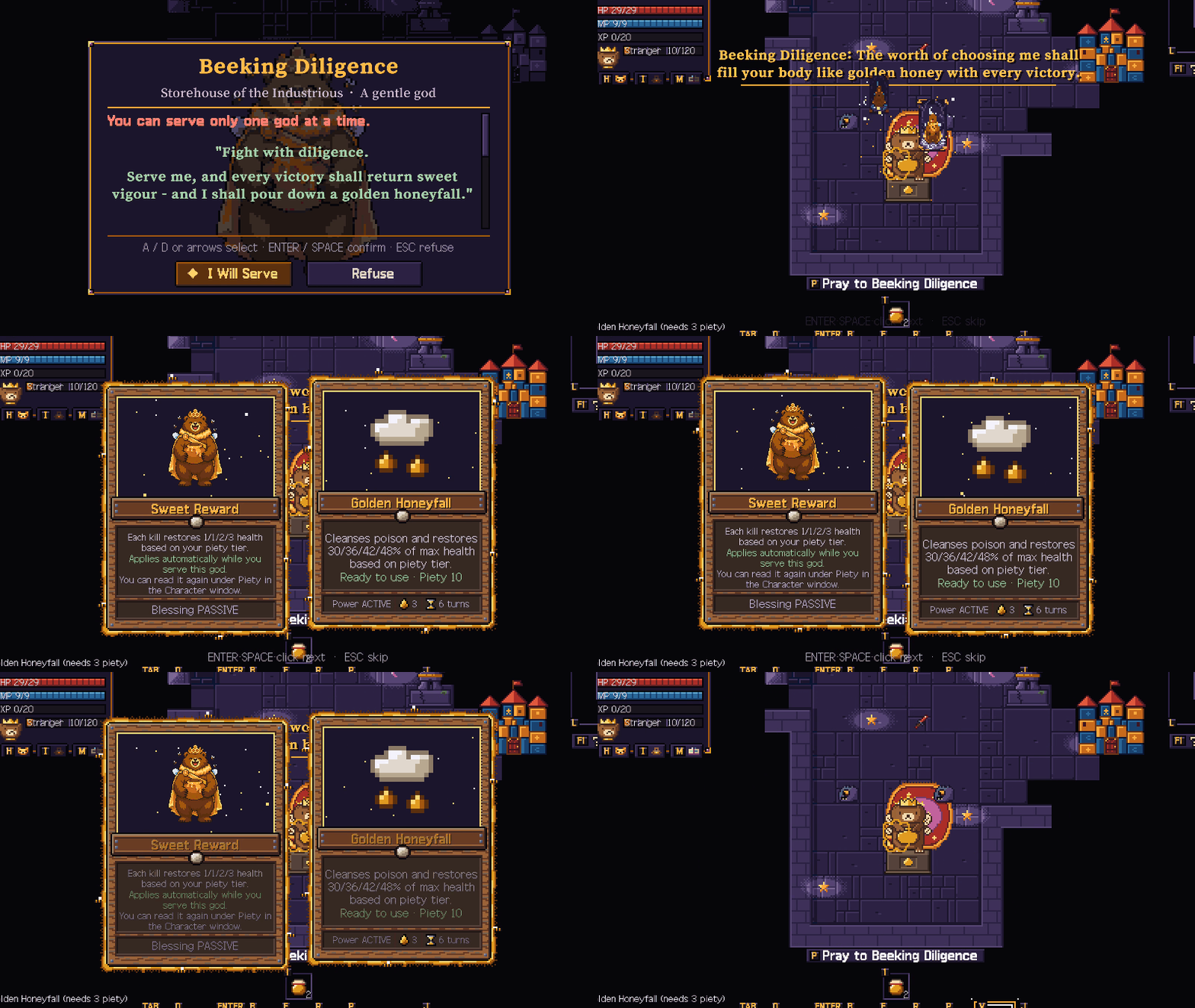
- For now, I removed the effects that covered the whole screen when praying and serving at an Altar.
A god's first words now appear as a god line in the log.
The first faith card rises above the board and settles without covering it.
Confirming your service is a small window.
Choosing a Pact is still the tarot card screen.
The effect of a sealed Pact card flying to what it strengthens stays as it is too.
Serving, power, and Pacts stay just as they are.
Menu and Fixes: Bug Reports Sent Right from the Game
- Selecting 'Report a Bug' lets you send game data right away.
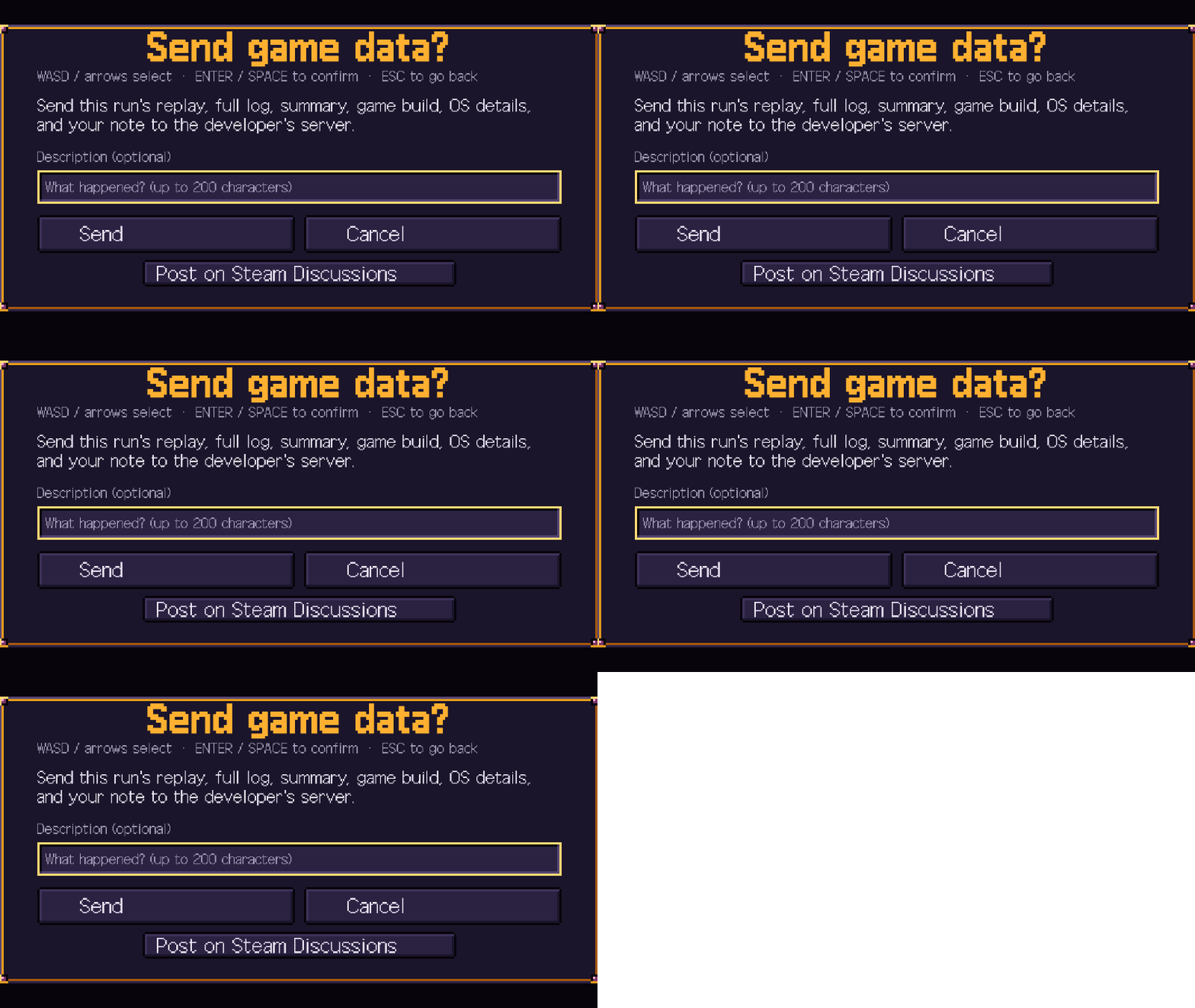
Select 'Report a Bug' in the title or pause menu, and the 'Send game data?' window appears.
Press send, and this run's replay, full log, summary, game build and OS info, and a description of up to 200 characters go to the developer.
If the internet is down, it is saved on your computer and sent again the next time you start the game.
Your computer user name is removed from the log before sending.
Your Steam account is not sent.
The 'Post on Steam Discussions' button in the window goes straight to the discussion board, even in the Demo.
- I fixed where the Binding Gaze status marker sits.
The status icon of a body held by Binding Gaze sits right above the body again.
It moves aside only when it overlaps the nail image, and only enough to clear it. - I fixed the menu confirm sound playing twice instead of once.
That was when choosing Help, Bestiary, Hall of Dreams, Replays, Continue, Save, or 'Report a Bug' in the title and pause menus.
Now the confirm sound plays only once.
You can also check devlogs and news on the Dungeon Sookuma official site.
https://dungeonsookuma.com/
Have fun playing in the changed dungeon this time too!